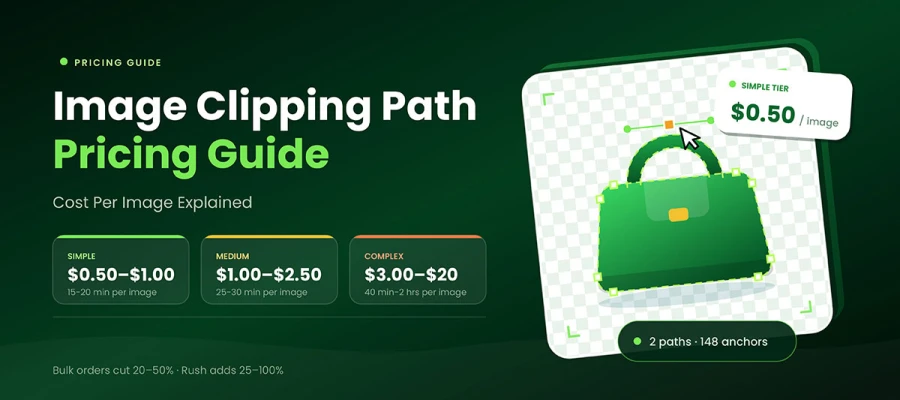
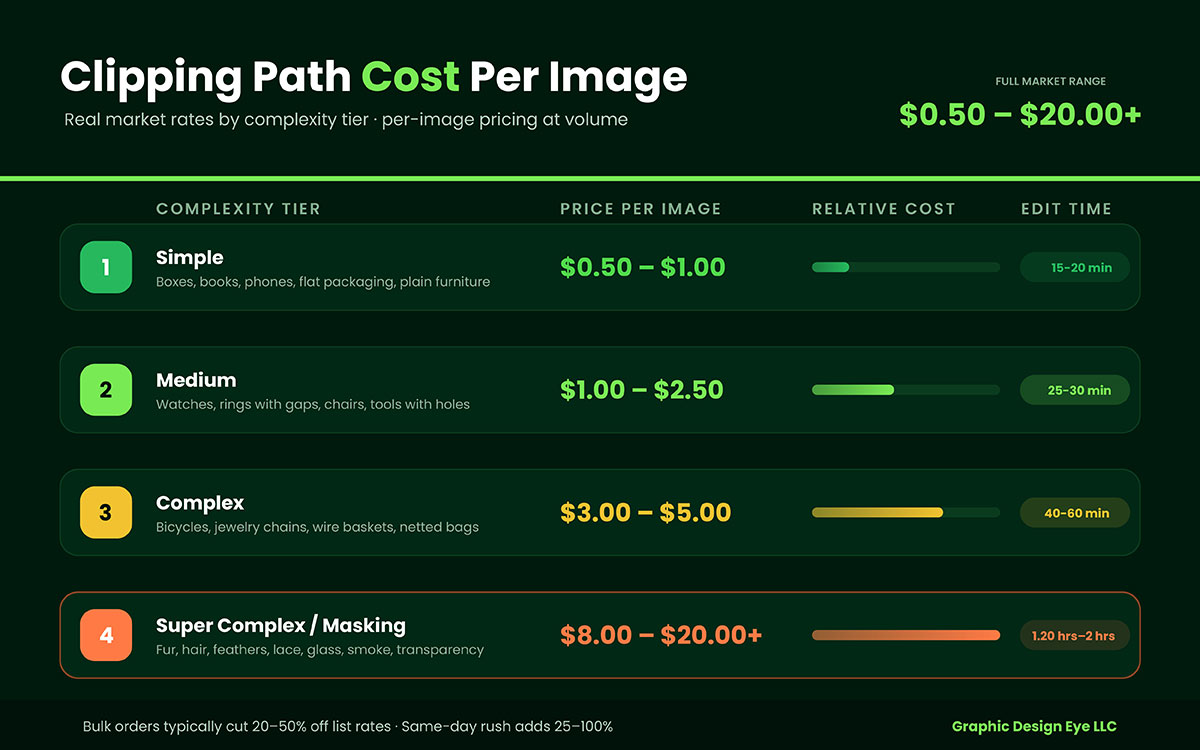
This clipping path pricing guide shows market prices for clipping paths. Simple products cost $0.50 to $1 per image. Medium ones cost $1 to $2.50. Complex paths cost $3 to $5. Multi-clipping work costs $4 to $8. Hair, fur, and glass masking cost $8 to $20 or more. Bulk orders usually get 20 to 50% off. Same-day rush adds 25-100%.
Let’s say you have 400 product photos waiting to be edited. What will they actually cost you? Nobody gives you a straight answer.
Every provider shows a "starting from" price. None of them explain what pushes you above it.
So you send a batch expecting $0.30 an image. The invoice comes back at $1.10, because half your files had handles, gaps, or wire you didn't think twice about.
This guide sorts out real clipping path prices for 2026, tier by tier, so you know the cost before you send a single image.
Let's start with the number you came for! Keep it next to your invoice and see how close they land!
Clipping path pricing guide
Clipping paths cost $0.50 to $1 per image for simple products. Medium complexity costs $1 to $2.50. Complex images cost $3 to $5. Rates below $0.50 or above $0.50 do exist. But they're rare. This clipping path pricing guide shows the true price range. Real invoices fall in this band.
Most pricing guides for clipping paths jump straight to a table. This one asks something first: learn to sort your own photos. It takes ten minutes. That step determines whether your budget holds up or falls apart.
So, keep reading!
Tier 1. Simple clipping path ($0.50-$1.00 per image)
Price: $0.20 to $0.50 per image at volume. What counts: one closed outline, smooth or straight edges, no holes inside, no transparency.
Think a shoebox, a hardcover book, a phone, a folded towel, a plain dresser. An editor draws one path with the Photoshop Pen Tool in under three minutes and moves on.
What pushes it up a tier: a handle, a strap, or a visible gap. Once light passes through the product's center, it's no longer Tier 1.
Tier 2. Medium clipping path ($1.00-$2.50 per image)
Price: $1.00 to $2.50 per image. What counts: two to five inner holes, curved edges, or small gaps in the product.
A mug with a handle. A watch with a buckle. A folding chair. A wrench. Each hole gets its own path, and each path gets its own anchor points.
What pushes it up a tier: chains, mesh, spokes, or lots of inner cut-outs.
Tier 3. Complex clipping path ($3.00–$5.00 per image)
Price: $3.00 to $5.00 per image. $4.00 to $8.00 if the file needs separate paths for color variants.
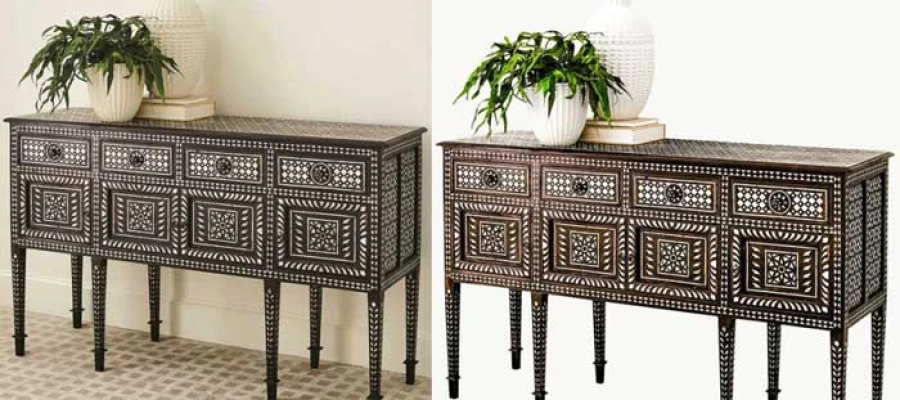
Bicycles. Jewelry chains. Wire baskets. Netted laundry bags. Patio furniture with woven backs. These files can have hundreds of anchor points. Each takes 12 to 30 minutes.
What pushes it up a tier: soft edges. A vector path always has a hard edge. Once your product has fuzz or see-through material, a path alone can't handle it.
Tier 4. Super complex path and image masking ($8.00-$20.00+ per image)
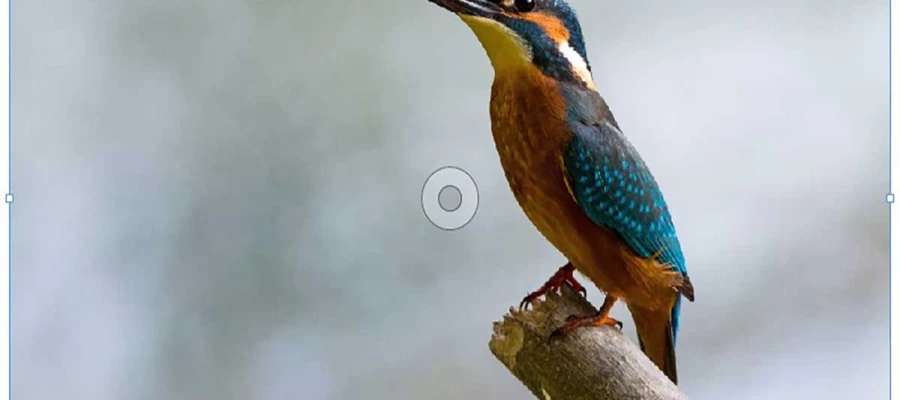
Price: $8.00 to $20.00 and up. Covers: hair, fur, feathers, lace, tulle, smoke, frosted glass, and anything see-through.
This isn't just path work anymore. It adds channel masking, alpha channel work, and edge refinement. That's why it costs closer to retouching than cutting out. Our image masking shows where the line is technically drawn.
How to tell which tier you are in
Run this test on your own files before you ask anyone for a number:
Count the holes: Zero holes means Tier 1. One to five means Tier 2. Six or more means Tier 3.
Count the curves: Mostly straight lines stay low. Wavy, uneven curves move you up.
Look for soft or see-through edges: Hair, fur, mesh, glass, or lace puts you in Tier 4, no matter how simple the outline looks.
One warning matters more than anything else here: most quote disputes arise when the buyer expected Tier 1 but the vendor called it Tier 3. Send sample files, not descriptions. "It's just a necklace" and a real photo of a 40-link chain are very different jobs.
Also, know this about mixed batches. They're almost always priced per tier, not averaged. If you want a single flat rate for the entire folder, negotiate it in writing before the batch starts.
4 Clipping path pricing models explained
Clipping path providers sell in four ways. Per image, volume tiers, monthly subscription, or a dedicated editor by the hour.
Choosing the right structure saves more than negotiating rate. This section of the clipping path pricing guide focuses on how you buy.
1. Per-image pricing (pay as you go)
You pay a set rate per file, no commitment. Good for irregular or seasonal work.
The trade-off is simple. Full flexibility but highest cost per image. You always pay list price.
2. Volume-tier pricing
Your rate drops automatically once monthly volume hits certain levels. Good for steady, predictable catalog work.
Ask for the full threshold table in writing, not just your current rate. You need to know what happens at 2,000 images.
3. Monthly subscription and retainer pricing
A fixed monthly fee gets you a set image limit or unlimited queued requests. Good when you want a predictable budget instead of changing invoices.
You book an editor by the hour, day, or month. Good for complex or highly custom work where per image pricing falls apart.
If your average file takes 25 minutes and needs constant direction, per image quotes always feel like a fight. Hourly ends the fight.
Which model fits your volume?
Monthly image volume
Recommended model
Why
Under 100
Per-image
No commitment justified
100–5,000
Volume-tier
First real discounts unlock here
5,000–5,000
Subscription or retainer
Predictable spend, priority queue
50,000+
Dedicated editor or hybrid
Lowest effective per-image cost
Highly complex, any volume
Hourly
Per-image pricing misprices the work
How to get an accurate clipping path quote
To get an accurate quote, send real sample images, including your hardest file. Write down your deliverable spec. Share your true monthly volume. Confirm turnaround and revision terms. Then run a trial batch of 5-10 images.
Follow this, and the quoted price is what you get invoiced for. Skip it, and you'll end up negotiating twice.
Step 1: Send sample images
Words cost nothing and predict nothing. "Simple products" means different things to you and a production manager.
Send five to ten actual files. Include your hardest one instead of your easiest. Think sunglasses with a reflective lens, a necklace with 40 links, a mesh sneaker. If a vendor quotes low on your worst file, they either misread it or plan to reclassify it later.
Step 2: Write down your deliverable spec
Put it all in one message. Mention file format (PNG, JPG, PSD, TIFF), resolution, background color or transparency, canvas margin percent, and file naming rule.
Naming is what people forget most. Getting 900 good cutouts back with useless filenames wastes a full day renaming.
Step 3: Share your real monthly volume
Say your real number in place of the one you hope for.
Providers give list prices for unknown volume, and tier prices for known volume. Saying "roughly 600 a month, 8,000 a year" gets you onto the second rate card.
Step 4: Pin down turnaround, revisions, and QC
Ask about four things in the same message. Standard turnaround time in hours. Rush surcharge. Number of revision rounds included. Who checks quality before delivery.
A provider can't explain their QC step in one sentence; probably has no QC step.
Step 5: Run a trial batch first
Most established providers offer 2 to 5 free trial images. Take it, and send hard files, not easy ones. Then run a real paid batch of 20-50 before committing to volume. You are testing consistency. Any team can nail one image. Graphic Design Eye LLC's free trial works the same way.
Copy-paste quote request template
Subject: Clipping path quote — [X] images/month
Hi,
I'm sourcing a clipping path provider for our product catalog and would like a tiered quote.
5. Revision rounds included, and cost per additional round
6. Your QC process before delivery
7. Whether add-ons (drop shadow, color correction) are separately priced
8. Free trial availability
Thanks,
[Name]
Save that. It is the difference between a quote and a guess.
6 Factors that change your clipping path price
Six factors affect a clipping path price quote. Image complexity, order size, turnaround time, provider location, revision rules, and contract type.
Our clipping path pricing guide gives a range. Here is the full picture:
#
Factor
Effect on price
1)
Image complexity (anchor points)
The dominant factor. A 10x swing from Tier 1 to Tier 4
2)
Order volume
Discounts commonly run 20–50%
3)
Turnaround time
12-hour express and same-day rush add 25–100%
4)
Provider location
US and UK studios sit at the top; South and Southeast Asian teams at the bottom
5)
Revision policy
A cheap rate with paid revisions can end up costing more than a higher all-in rate
6)
Contract type
Retainers and dedicated-resource agreements unlock the lowest effective per-image cost
1) Image complexity (anchor points)
This decides everything else. Editors get paid for skilled minutes, and anchor points measure those minutes.
A phone case might take 60 anchor points. A bicycle takes several hundred. That's why one file costs $0.50 and the next costs $3.00.
2) Order volume
Volume does more than earn a small discount. It shifts your entire account to a lower-rate card.
Expect 20-50% off list price, based on monthly commitment. Here's the pattern most tier tables follow.
Monthly volume
Typical discount off list
Effective simple-path rate
Under 100 images
0%
$0.40–$0.50
100–499 images
10–15%
$0.35–$0.45
500–1,999 images
20–30%
$0.28–$0.38
2,000–9,999 images
30–40%
$0.24–$0.32
10,000+ images
40-50%
$0.20–$0.26
3) Turnaround time
Standard delivery takes 24 hours in most markets. Your list price assumes this.
12-hour express usually costs 25-50% more. Same-day and 6-hour rush often cost 50 to 100% more. Someone has to reshuffle the production queue, often working a night shift for your file.
4) Provider location
US and UK studios charge the most. South Asian and Southeast Asian teams charge the least.
This gap comes from labor costs. Skill has nothing to do with it. Many American brands use offshore teams and never notice a drop in quality. QC process is what predicts quality. Location doesn't matter.
5) Revision policy
Unlimited free revisions are usually built into the price. This shows confidence in quality, not generosity.
Do the math the other way. A $0.25 rate with paid revisions and 15% rework costs more than a $0.35 rate with free revisions. Plus, it delays your catalog by two extra days.
6) Contract type
One-time jobs cost full price. No exceptions.
Monthly plans and dedicated-editor deals get you the lowest price per image. Why? The provider can plan ahead rather than guess.
Clipping path pricing FAQs
These ten questions come up in nearly every quote conversation. This clipping path pricing guide answers them in the order buyers actually ask them. If none of the following questions match your concern, you can contact us personally to clear up your clipping path pricing FAQs.
A clipping path costs $0.50 to $1.00 per image for simple products, $1.00 to $2.50 for medium ones, and $3.00 to $5.00 for complex ones. Interior holes, curve count, and soft or transparent edges decide your tier.
Prices vary for four reasons. Anchor-point count, manual versus AI workflow, provider location, and volume commitment. Quotes 10x apart are usually answering different versions of the same question.
Yes. Bulk discounts usually run 20% to 50% off list rates, based on monthly volume. Thresholds differ a lot between providers. Ask for the full tier table in writing, not just the rate for your current volume.
1,000 simple product images cost about $500 to $800 at a negotiated volume rate. 1,000 complex jewelry, wire, or mesh images cost $3,000 to $4,500. A realistic mixed batch lands near $6,500 to $20,000.
Yes on unit price. No, once you count cleanup labor. AI tools run $0.20 to $1.00 per image and handle flat, hard-edged products well. Hair, wire, mesh, and glass still go back to a human, and that time comes out of your team's day.
Masking costs more than a clipping path. It handles soft and semi-transparent edges that a hard vector path cannot. Expect $0.50 to $5 for path work. Masking hair, fur, lace, or glass costs $8 to $20 or more.
A multiple-clipping-path job costs about $4 to $20 per image. Each color, component, or region needs its own saved path so you can recolor or edit it separately. That multiplies the editing time rather than adding to it.
Only if it passes a hard-sample trial. A $0.20 rate with a 15% rework rate costs more than a $0.35 rate with QC included. Count your own review time and the days your listings sit unpublished.
Most of the market delivers in 24 hours. Express delivery in 6 to 12 hours usually adds 25% to 100%. It means reshuffling a production queue and often an overnight shift.
Yes. Most established providers offer 2 to 5 free trial images. Send your hardest files instead of your easiest ones. The trial tests edge quality and tier classification, not whether simple products are simple.
Endnote
Finally, we've reached the end of this clipping path pricing guide together. You came here for one number. You're leaving with a framework instead.
That's not a consolation prize. The framework is what actually protects your budget. A single number would have been wrong the moment your file mix changed.
Know your complexity tier before you ask. Know your true monthly volume. Get the tier table in writing. Test with your hardest images, never your prettiest ones.
One honest trade-off to carry with you. The cheapest rate and the right rate are rarely the same number. But the gap is almost always smaller than sellers fear. Usually a few cents per image, compared to days of rework you never have to do.
Your product photos are the first handshake your brand offers. On Amazon, Shopify, Etsy, eBay, and Walmart Marketplace, a clean edge quietly does the work of trust. For a tiered quote on your own files, start with affordable clipping path services.
Good luck with your catalog! Go get that folder cleared!
Graphic Design Eye LLC is a full-service creative agency built for brands that demand more than design — they demand vision. From strategic branding to complete visual identity, we partner with startups, agencies, and growing businesses as a dedicated creative force. With flexible subscription and project-based models. Let's start with us today!