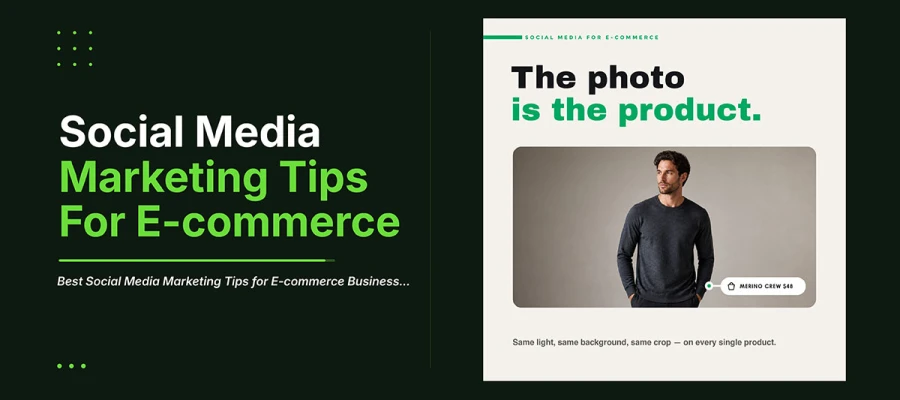
Product photography is the single most important factor in social media marketing tips for eCommerce, since the image stands in for a product the buyer cannot touch or test. Photos shown in real settings and shoppable format setups come next. They both matter more than posting often or following trends.
Once you accept that the image does the product's job, your whole strategy reorders itself. Choices that felt equally important, like what to post, when, and how often, now split apart. Some build trust. Some just fill a calendar. Most ecommerce brands lose ground right there.
This article covers ten ecommerce social media tips based on that shift. It starts with photography, the foundation that matters most. It ends with a tracking system that shows which posts actually earn money. Some tips will challenge habits you have not questioned in years.
10 Social media marketing tips
Social media marketing tips for eCommerce work differently than for other businesses because the image often is the product. These ten tips cover product photos, shoppable posts, user-generated content, and tracking sales. They go from most important to smaller details. Any online store can use them in order or on their own.
Tip 1: Make product photography the foundation, not an afterthought
What it is: In eCommerce, the photo is the product. Customers cannot touch or test items. The photo carries the whole judgment.
Why it matters: Same lighting, background, and crop across products build a catalogue that looks professional. Inconsistent photos are the fastest way to look less credible than competitors selling the same item.
How to apply it: Set one photo standard. Same background, lighting, and angle for every product. Shoot in batches so consistency stays structural, not memory-based. If your team lacks capacity, a dedicated product photo retouching service keeps that standard steady across thousands of images without slowing your schedule.
The photo is not showing the product. For an online buyer, it is the product.
Tip 2: Show the product in use, not only on white
What it is: White background shots show what the product is. Lifestyle shots show who it's for and how it fits into life.
Why it matters: Marketplaces need white background photos to meet their rules. Social feeds do better with context. A product in a real setting shows its size, its use, and who it's for. A plain shot cannot do that.
How to apply it: Make both for every product. One clean shot on white for listings and marketplace rules. Two or three shots in real settings for social. Use the in-context shots for social feeds.
White backgrounds sell to people who already decided. Context sells to people who have not.
Tip 3: Design for the shoppable formats each platform actually has
What it is: Instagram Shopping, Facebook Shops, TikTok Shop, and Pinterest Product Pins each have their own image rules and tagging behavior. These affect how products show up.
Why it matters: Tagged products make it much faster to go from seeing a post to buying. Regular posts force viewers to leave the app, find the site, and search. Most people will not bother.
How to apply it: Set up your product catalogue properly on each platform you sell on. Tag products in every relevant post. Make sure product images follow each platform's size and background rules.
Every step between seeing and buying loses a proportion of the interested people.
Tip 4: Lead with user-generated content wherever you can
What it is: Customer photos, videos, and reviews sell better than brand content. They work because they act as proof, not claims.
Why it matters: A brand photo shows the product looking perfect under perfect conditions. A customer photo shows it in a normal room, normal light. That is what buyers actually care about. The rough, imperfect look is what makes it believable.
How to apply it: Build a steady system for collecting content. Ask for photos after purchase. Run a branded hashtag. Get clear permission to reuse posts. Edit everything with the same style so user photos still match your feed.
Your best photographer is a customer with a phone and no reason to make things look better than they are.
Tip 5: Design carousels that answer objections in sequence
What it is: The carousel is the most underused format in eCommerce social media. It fits the job well. Multiple slides let you guide a purchase decision step by step.
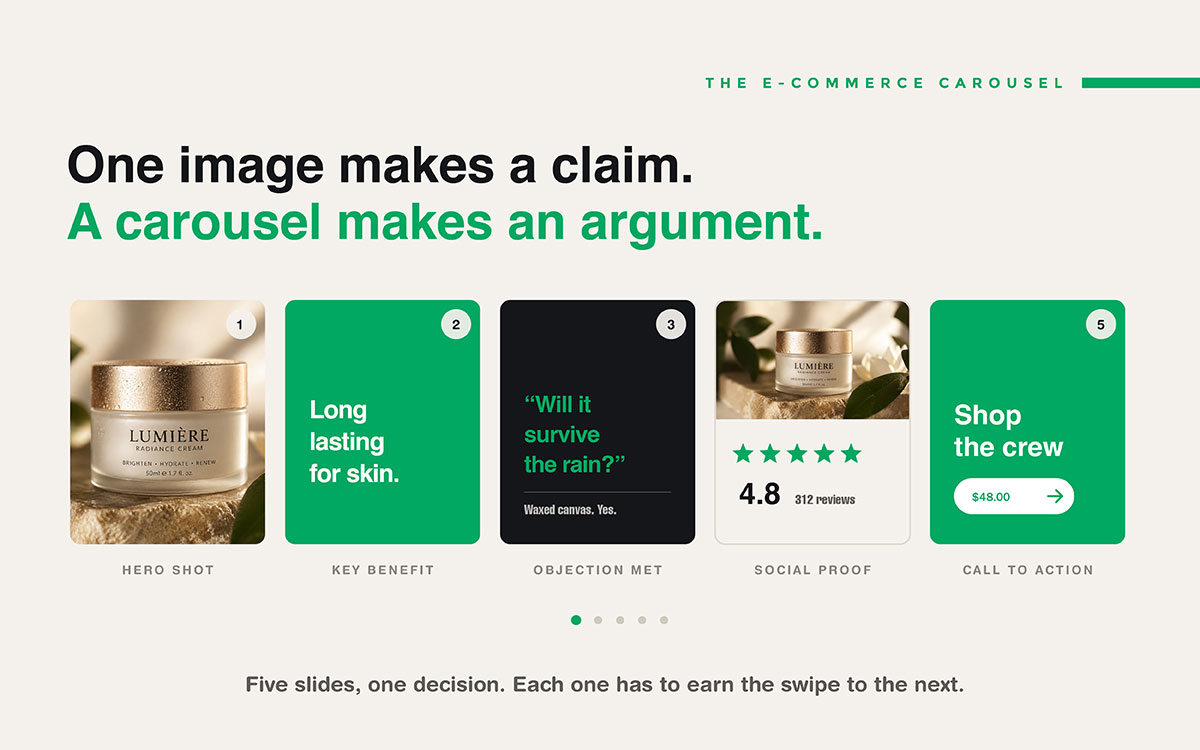
Why it matters: A good product carousel moves through stages. It grabs attention, raises doubts, gives proof, then calls to action. The stages are: the hero shot, the key benefit, the main hesitation answered, social proof, then the call to action. That is a full sales pitch in one post.
How to apply it: Find the three objections that usually stop a purchase. Build a carousel that answers them in order. Make each slide worth swiping past.
One image makes a claim. A carousel makes an argument.
Tip 6: Show price and offer clearly rather than hiding it
What it is: Ecommerce social media strategy leaves price off social posts. They hope curiosity gets clicks. But this mostly brings clicks that never buy.
Why it matters: Showing price filters your traffic early. Fewer people click. But those who do already accept the price. This raises conversions and lowers cost per sale.
How to apply it: Add price to posts and ads about products. It matters most for retargeting audiences. If you think it won’t work, test it yourself. You will likely see the difference. Need real numbers on cost and pricing? Check this breakdown on social media design costs.
Hiding the price does not stop the objection. It just delays it until after someone clicks to pay.
Tip 7: Build a repeatable template system instead of designing every post
What it is: Social media marketing tips for eCommerce mean lots of posts. New products, restocks, sales, seasonal campaigns. Designing each one from scratch is not sustainable. It causes visual drift.
Why it matters: Locked templates for your common post types turn new content into a quick swap of text and images. It takes fifteen minutes, not a full design project. It also keeps your visuals consistent through structure.
How to apply it: Build templates for your eight main post types. New product, restock, sale, testimonial, how to, behind the scenes, comparison, and seasonal. Lock the colors and fonts inside each one.
Templates are how consistency survives a busy quarter.
Tip 8: Design video for sound-off and the first three seconds
What it is: Most people watch social videos with no sound. The first three seconds decide if they keep watching.
Why it matters: A video that opens with a logo or a slow shot wastes that key moment. A video that relies on voiceover tells silent viewers nothing.
How to apply it: Start with the product in use. Or start with the most striking moment. Add captions to every video. Make the first frame work alone. Many viewers only see that frame.
No one watches a video's second second if the first second fails to earn it.
Tip 9: Retarget with different creative than you used to acquire
What it is: Someone who already visited your product page needs different persuasion than a first-time visitor. But most online stores show the same ad.
Why it matters: New audiences need the product explained and the brand introduced. Retargeting audiences already know both. They need their doubts answered, a better offer, or real urgency.
How to apply it: Make two types of ads. Discovery ads that start with the problem or change. Conversion ads that start with the offer, guarantee, review count, or deadline.
The same ad cannot introduce a product and close a sale. Stop asking it to.
Tip 10: Measure revenue per post type, not engagement per post
What it is: Ecommerce is rare in social media. You can track real revenue here. Most brands still just report likes.
Why it matters: Put UTM parameters on every social link. Install a platform pixel. Then you can see which posts actually make money. It often does not match engagement numbers. The most liked posts earn the least money.
How to apply it: Add UTM parameters to every link. Check revenue by post type each quarter. Make more of what earns money, not what gets comments.
Engagement tells you what people enjoyed. Attribution tells you what they bought.
ECommerce social posts fall into eight types. Each has its own format and job. These are new product, restock, testimonial, how-to, behind the scenes, comparison, sale, and seasonal. Set a template for each type. Then making content just means swapping text and images. It stops being a fresh design task each time.
Post Type
Format
Primary Job
New product launch
Carousel, 1080×1080
Introduce, answer objections, drive to product page
Restock announcement
Single image or Story, 1080×1350
Create urgency among people who already wanted it
Customer testimonial
Single image with UGC photo
Provide evidence rather than a claim
How-to or styling
Reels or short video, 1080×1920
Deliver value, demonstrate use, build authority
Behind the scenes
Story or Reels, 1080×1920
Justify price, build trust in sourcing and craft
Comparison
Carousel, 1080×1080
Differentiate against the obvious alternative
Sale or promotion
Single image, 1080×1350
State the offer plainly with a visible deadline
Seasonal campaign
Full set across formats
Tie the product to a moment the buyer already cares about
ECommerce social media FAQs
Brands looking for social media marketing tips for eCommerce will find them below. Topics include photography, pricing visibility, top content types, measuring results, and posting frequency. Each answer stands alone. Store owners can find what they need without reading the whole list.
Product photography on social media matters most. Customers cannot touch or try the product. The image has to do that job. Same lighting, background, and crop for every product builds trust. Inconsistent photos break that trust fast.
Yes, brands should show prices on product posts and ads. Hiding the price gets more clicks. But those clicks come from people who leave once they see the price. That raises cost per sale in paid ads. Showing the price filters visitors early. This usually improves conversion rate.
User photos, lifestyle shots, and carousels work best for eCommerce social media. Customer photos act as proof, not just claims. Lifestyle photos show size and use. Carousels build a full case to buy. One post can show the product, its benefit, an objection, proof, and a call to action.
Use UTM links on every post and install a platform pixel. Check revenue by post type each quarter. It shows which formats actually sell, yet contradicts engagement numbers. Posts with the most likes are often not the ones that earn the most money.
Post as often as you can while keeping quality steady, usually three to five times a week. Consistency and quality matter more than volume. A fixed template system for the eight main post types makes frequent posting easier, without hurting quality or adding much extra work.
Endnote
What separates effective social media marketing tips for eCommerce from generic advice is discipline applied to the image standing in for the product. That discipline shows up in consistent photography, carousels that argue instead of just display, and tracking that follows revenue rather than likes.
Knowing this is not the same as doing it. You need to do it every week. Across every product, platform, and campaign. Without things looking messy as you grow.
That gap is where most teams get stuck. They don't lack ideas. They lack steady production power to use them. This is where Graphic Design Eye LLC's unlimited subscription helps. It gives you an on-demand team. Our dedicated team builds locked templates. They batch produce consistent product photos and design shoppable carousels and retargeting creative. Your brand never has to hire more staff or slow down as your catalogue grows.
Fix the photography standard first. Then build the eight templates. These two projects take about two weeks. They make every week after easier. Brands building recognition often study famous fashion logos for this reason. Repeated consistency reads as credible.
The buyer cannot hold the product. Give them an image worth trusting instead.
Graphic Design Eye LLC is a full-service creative agency built for brands that demand more than design — they demand vision. From strategic branding to complete visual identity, we partner with startups, agencies, and growing businesses as a dedicated creative force. With flexible subscription and project-based models. Let's start with us today!