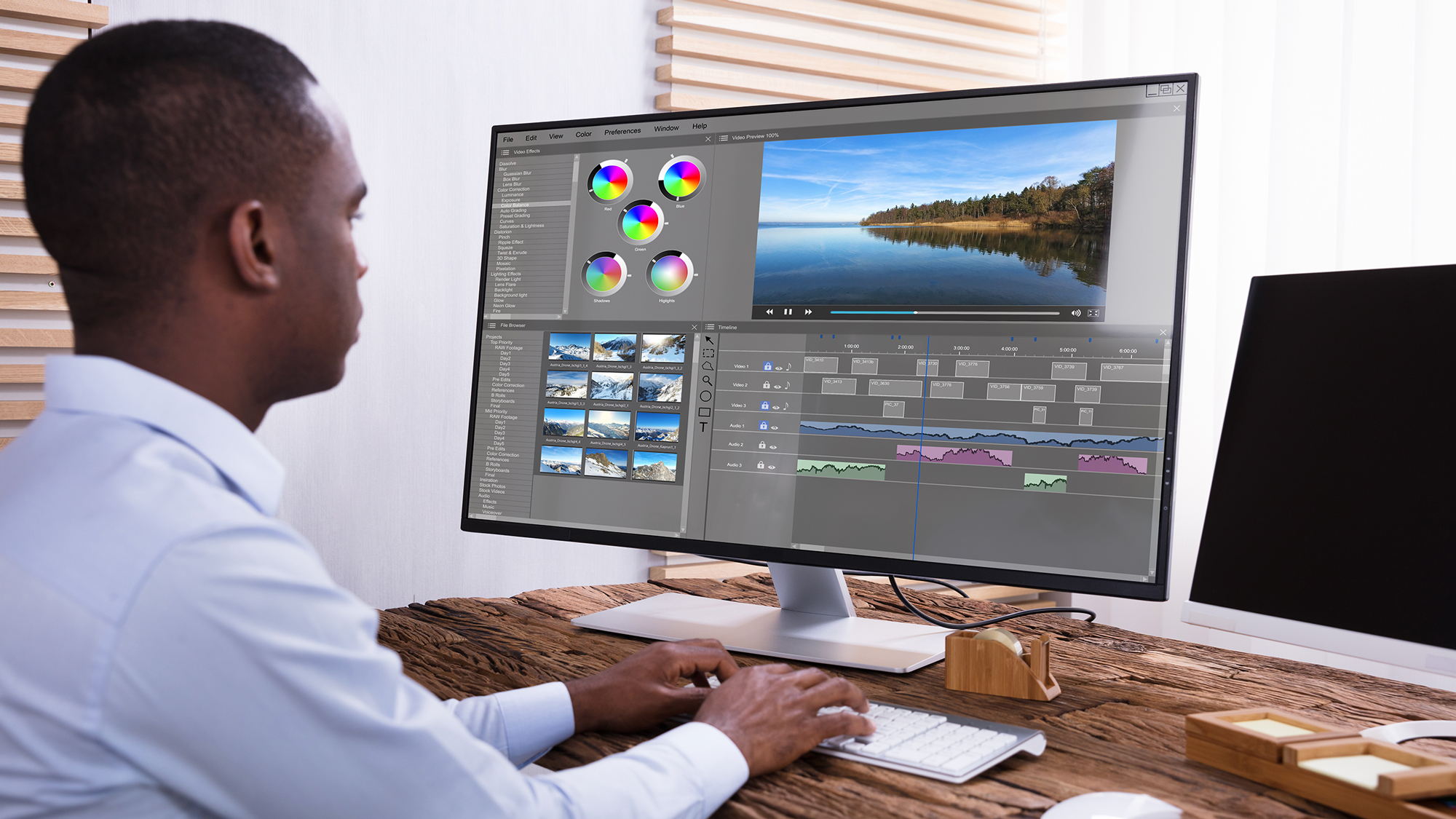
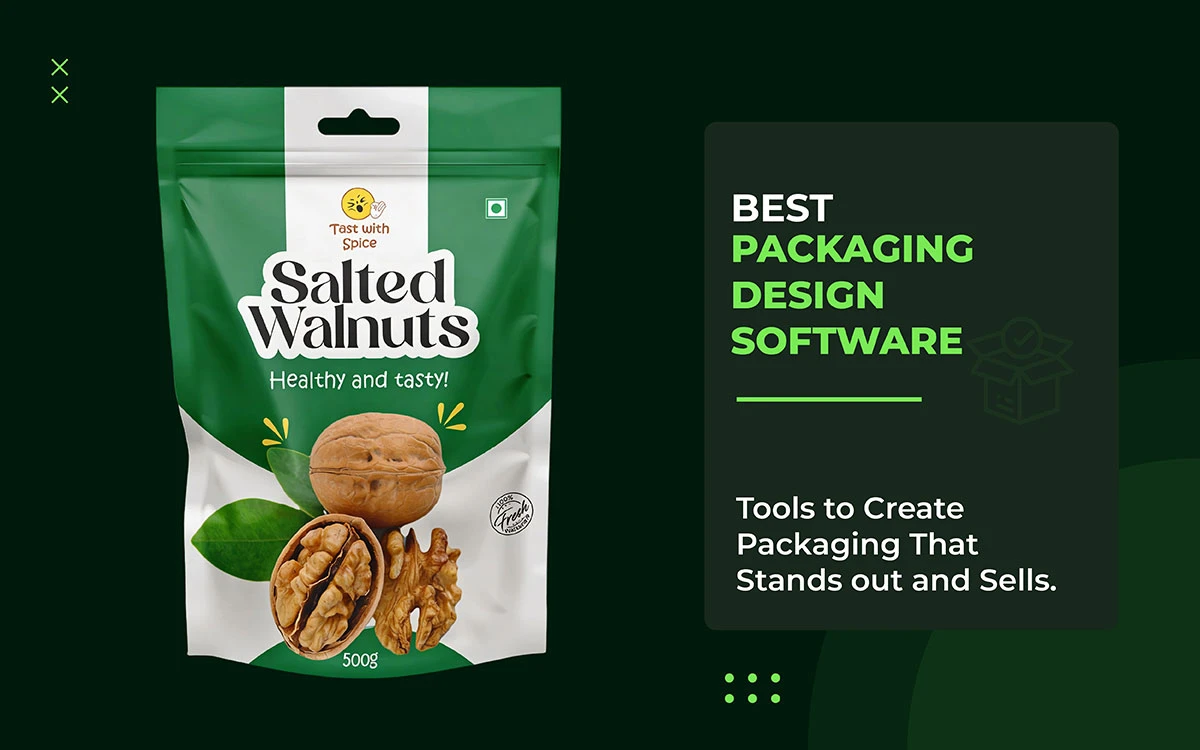
The right and the best packaging design software like Adobe Illustrator, Canva, Boxshot, etc. Helps you create eye-catching and clear designs. It lets you test layouts, colors, and typography fast. Your product stands out on crowded shelves. You can stay consistent and save time. The right software reduces mistakes and helps you attract attention.
Well, there is a number that should stop every founder, brand manager, and designer in their tracks.
Studies consistently show that packaging influences over 70 percent of purchase decisions made at the point of sale. In a matter of seconds, often fewer than seven, a consumer scans a shelf and makes a judgment. Not just about the product. About the brand behind it. About whether it is worth their trust, their attention, and their money.
A poorly designed package does not merely look unprofessional. It communicates something far more damaging: that the brand behind it does not care enough. It blends into the background, loses the shelf battle, and quietly costs you sales you will never know you lost.
The right packaging design software changes that equation entirely. It gives you the power to create packaging that stops shoppers, tells your story, and competes at the highest level, regardless of whether you are a solo entrepreneur launching your first product or a packaging engineer managing a global supply chain.
That is precisely why we built this guide.
We have researched, tested, and compared the top 10 packaging design software available today. For each platform, you will find a clear breakdown of key features, honest pricing details, a balanced look at pros and cons, and a clear picture of who each tool is genuinely best for. If you are pressed for time, jump directly to our quick comparison table or use the section links below to navigate straight to the tool most relevant to your workflow.
So, let’s see what’s ahead.
Creative Design Services
Graphic Design Eye LLC can help you create beautiful graphic designs. Fast, simple & affordable.
Now that we understand the importance of packaging in purchase decisions, it becomes clear that execution happens in seconds of perception. Consumers form snap judgments in under seven seconds, so the tools you use must support both creative design and technical accuracy, while still producing print-ready files accepted by manufacturers.
The table below provides a fast reference overview of all ten best packaging design software covered in this guide. Each entry links directly to the full review: compare at a glance!
Software
Best For
3D Render
Dielines
Free Tier
Starting Price
Adobe Illustrator
Professionals
No
Yes
Yes
$22.99/mo
Adobe Substance 3D
3D Mockups
Yes
No
No
~$54.99/mo
Pacdora
E-commerce
Yes
Yes
Yes
$19/mo
ArtiosCAD
Manufacturers
Yes
Yes
No
Enterprise
CorelDRAW
Vector Designers
No
Yes
No
$549/yr
Canva
Beginners / SMBs
No
No
Yes
$15/mo (Pro)
Boxshot
3D Visualization
Yes
No
No
$99 one-time
Esko Studio
Print Professionals
Yes
Yes
No
Enterprise
Packify AI
AI-Assisted Design
Yes
No
Yes
$29/mo
LibreCAD
Budget/Open-Source
No
Yes
Yes
Free
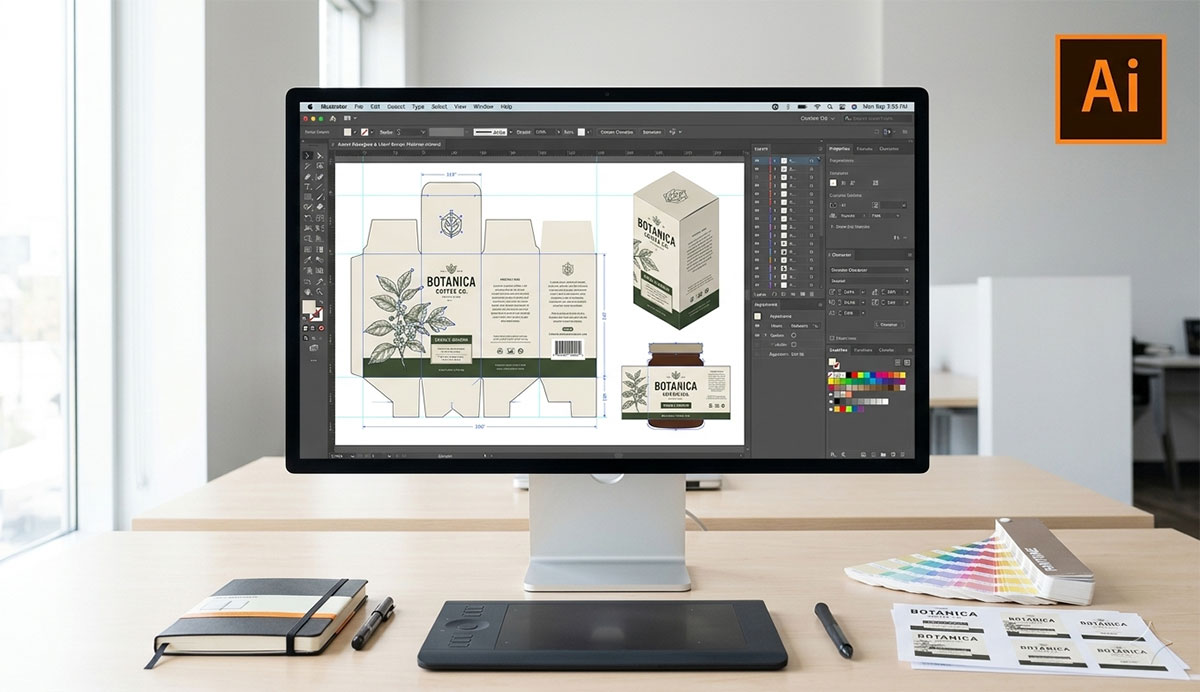
1. Adobe Illustrator — The Industry Standard
There are tools that professionals use. And then there is Adobe Illustrator, the tool that defines what professional packaging design looks like at every level of the industry.
For over three decades, Illustrator has served as the undisputed backbone of packaging artwork worldwide. From the delicate label of a boutique perfume to the structural complexity of a retail cereal carton, from the precise die-cut requirements of a luxury cosmetic box to the scalable artwork of a global food brand, Illustrator has been the constant. Printers accept its files. Manufacturers trust its precision. Designers build careers around its capabilities.
This is not mere reputation. It is the result of a tool that delivers unmatched vector precision, comprehensive colour management, and a print production workflow that has been refined over decades to meet the highest professional standards. When you design in Illustrator, you design with confidence that your artwork will survive the journey from screen to shelf without compromise.
Key Features
Full vector design toolkit with Bezier pen tools and shape builders
Dieline creation and layer management via custom artboards
Print-ready export in PDF, AI, EPS, and SVG formats
Full Pantone (PMS) and CMYK colour library support
Extensive plugin ecosystem including Esko and DeskPack for packaging workflows
Deep integration with Adobe Creative Cloud including Photoshop and Substance 3D
Adobe Illustrator Pricing
Single-app Creative Cloud plan: approximately $22.99 per month
All Apps Creative Cloud bundle: approximately $54.99 per month
Adobe Illustrator Pros & Cons
Every tool has its share of advantages and limitations. Adobe Illustrator is no exception. Understanding where it excels and where it falls short is essential to making the right investment decision for your design workflow.
Adobe Illustrator Pros
✓ Industry-standard file format accepted universally by commercial printers and manufacturers ✓ Unrivaled vector precision for complex shapes, custom dielines, and intricate label artwork ✓ Massive library of tutorials, courses, and one of the most active professional communities in design ✓ Deep, seamless integration with the entire Adobe Creative Cloud ecosystem
Adobe Illustrator Cons
✕ A steep learning curve that can frustrate newcomers and sole traders in the early weeks ✕ No built-in 3D rendering — requires Adobe Substance 3D or Dimension for visualisation ✕ Subscription-only pricing model with no one-time purchase option available ✕ Can feel unnecessarily heavy for simple label-only projects with minimal complexity
Ideal User: Professional graphic designers, packaging agencies, and print production studios who require pixel-perfect, print-ready packaging artwork that meets the most demanding commercial standards.
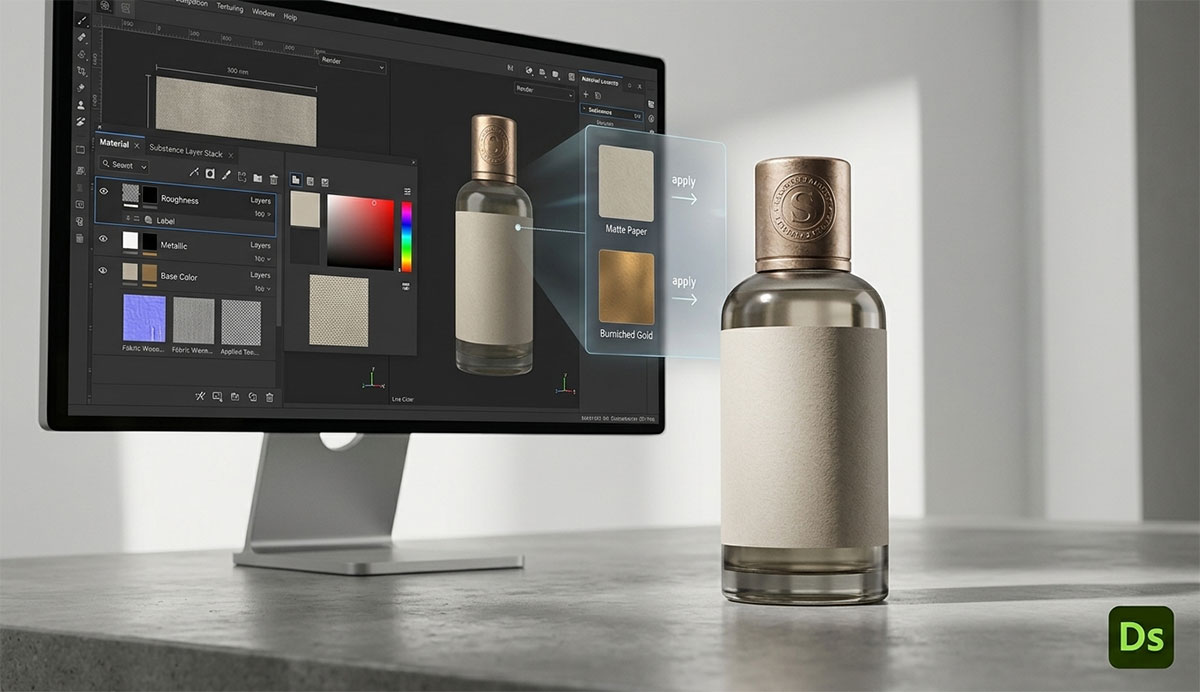
2. Adobe Substance 3D — Best for 3D Mockups
If Adobe Illustrator is where your packaging artwork is born, Adobe Substance 3D is where it comes to life.
Formerly known as Adobe Dimension, Substance 3D serves as the bridge between the precision of 2D vector design and the immersive reality of photorealistic product visualisation. Import your packaging dieline artwork directly from Illustrator and watch it wrap around beautifully rendered 3D packaging templates, boxes, bottles, cartons, and pouches, with adjustable lighting, realistic materials, and shadow controls that make the final render indistinguishable from a professional studio photograph.
For brands preparing e-commerce listings, pitch decks, or marketing campaigns, Substance 3D eliminates the cost and delay of hiring a specialist 3D artist for every product launch. The renders it produces are genuinely stunning, and they arrive in a fraction of the time traditional 3D workflows require.
Key Features
Photorealistic 3D rendering with fully adjustable lighting, materials, and surface textures
Seamless live link with Adobe Illustrator and Photoshop for rapid revision workflows
Pre-built 3D packaging templates covering boxes, bottles, pouches, and bags
Environment and shadow controls for professional scene composition
Export in high-resolution PNG, JPEG, and PSD formats
Adobe Substance 3D Pricing
Included in the Adobe Creative Cloud All Apps plan at approximately $54.99 per month
Also available as part of the standalone Substance 3D Collection at approximately $49.99 per month
Adobe Substance 3D Pros & Cons
Adobe Substance 3D is a formidable visualisation tool, but it is not without its limitations. The following breakdown helps you assess whether its strengths align with the demands of your specific packaging workflow.
Adobe Substance 3D Pros
✓ Produces studio-quality 3D product renders without requiring any 3D modelling background ✓ Live round-trip editing with Illustrator accelerates the revision process significantly ✓ Exceptional for e-commerce product imagery and high-impact marketing assets ✓ Fully supported by the depth and reliability of the Adobe ecosystem
Adobe Substance 3D Cons
✕ Requires existing 2D artwork, it is a visualisation tool, not a standalone design platform ✕ Rendering performance can be slow without a dedicated GPU ✕ Template library is more limited when compared to Pacdora’s extensive collection ✕ Unnecessary complexity if your workflow only requires simple flat 2D mockups
Ideal User: Brand teams and designers already working within Illustrator who need to generate high-quality 3D product renders quickly for marketing, e-commerce, and client presentation purposes.
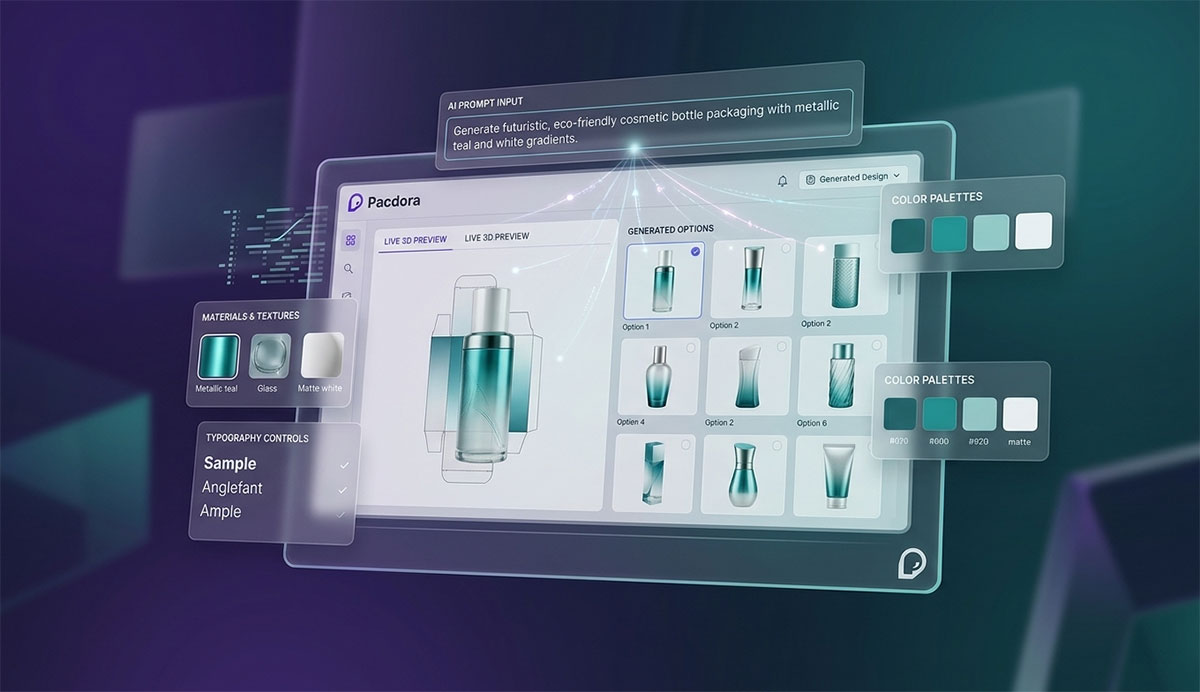
3. Pacdora — Best Online 3D Packaging Platform
Not every brand has a design team. Not every founder has months to master professional packaging design software. Pacdora was built precisely for those realities.
This browser based packaging design platform has done something genuinely remarkable: it has made professional-level packaging design accessible to anyone with an internet connection and a vision. With over 5,000 three-dimensional mockup templates and 3,000 dieline templates available, Pacdora compresses what traditionally required multiple tools, significant training, and hours of production work into a single, intuitive, drag-and-drop workflow.
For e-commerce brands, startups, and design students who need to move quickly from concept to print-ready file, and who also need compelling product photography to present their packaging at its best, Pacdora is not just convenient. It is transformative.
Key Features
Over 5,000 pre-built 3D packaging mockup templates covering all major packaging categories
3,000+ dieline templates exportable in print-ready AI and PDF formats
AI background generator for instant, professional-quality product lifestyle photography
Drag-and-drop design editor fully accessible from any modern web browser
Real-time 3D preview as you customise colours, logos, and text
Team collaboration tools designed for multi-user workflows
Pacdora Pricing
Free tier available with limited templates and exports
Pro plan from approximately $19 per month
Business plans available for teams requiring advanced collaboration features
Pacdora Pros & Cons
Pacdora has reimagined what accessible packaging design can look like. Before committing, it is worth examining both its considerable strengths and the constraints that may become relevant as your work grows in complexity.
Pacdora Pros
✓ Fastest path from concept to a finished 3D mockup, no installation, no configuration required ✓ Free tier is genuinely useful for early-stage brands and students ✓ Combines dieline creation and 3D visualisation in a single, unified platform ✓ Highly accessible for users with no prior design experience whatsoever
Pacdora Cons
✕ Less precise than Illustrator for complex custom dieline engineering at the production level ✕ Template-dependent architecture means heavily bespoke structural designs may encounter limitations ✕ Requires a stable internet connection; no offline mode is available ✕ Advanced print preflight workflows may still require Illustrator handoff for final production files
Ideal User: E-commerce entrepreneurs, small business owners, and design students who need beautiful packaging mockups and dielines without a steep learning curve or expensive software subscriptions.
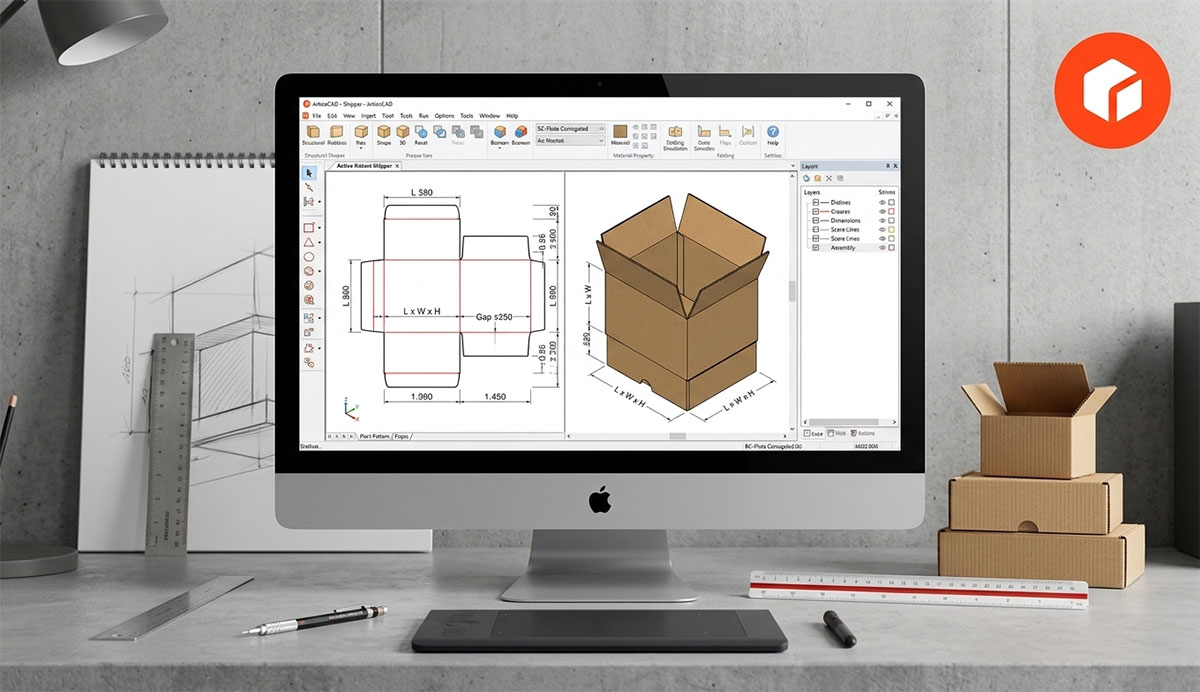
4. ArtiosCAD — Enterprise Structural Design
In the world of packaging manufacturing, there is a name that carries a weight of trust built over decades. Its name is ArtiosCAD.
Developed by Esko, ArtiosCAD is the global benchmark for structural packaging engineering. It is the tool that the world’s largest packaging manufacturers, corrugated converters, and enterprise brand owners rely upon when precision is not optional and production tolerances leave no room for error. This platform handles the complete lifecycle of a packaging structure, from the initial structural concept and parametric dieline generation through to production optimisation, material nesting, and full supply chain integration.
For organisations where packaging must perform reliably on a high speed manufacturing line, ArtiosCAD is not a preference. It is the standard.
Key Features
Parametric 2D and 3D structural design with automated dieline generation
LASERPOINT library containing thousands of industry-standard box styles including FEFCO and ECMA formats
Nesting and production optimisation tools to minimise material waste
Deep integration with Esko Studio for immersive 3D visualisation
Supply chain and ERP integrations for end-to-end manufacturing workflows
Regulatory compliance tools for pharmaceutical and food packaging applications
ArtiosCAD Pricing
Enterprise pricing on a quote basis, typically licensed per seat on an annual arrangement
Free trial available upon direct request from Esko
ArtiosCAD Pros & Cons
ArtiosCAD operates at a level of industrial precision that few tools can match. The following assessment reflects both the power it brings to enterprise workflows and the realities of adopting a platform of this scale and cost.
ArtiosCAD Pros
✓ The definitive structural design tool for corrugated box and folding carton engineering globally ✓ Accepted as the standard specification across the global packaging supply chain ✓ Dramatically reduces costly errors between design intent and manufacturing output ✓ Extensive library of certified, industry-tested structural templates
ArtiosCAD Cons
✕ High cost of entry places it well beyond the reach of individuals and small businesses ✕ Requires a significant training investment before productive use is possible ✕ Purely structural, not suitable for surface graphic or label design work ✕ Windows only platform; no macOS or browser-based version is available
Ideal User: Packaging engineers, structural designers, corrugated manufacturers, and enterprise brand teams managing complex, multi-SKU packaging programmes at commercial production scale.
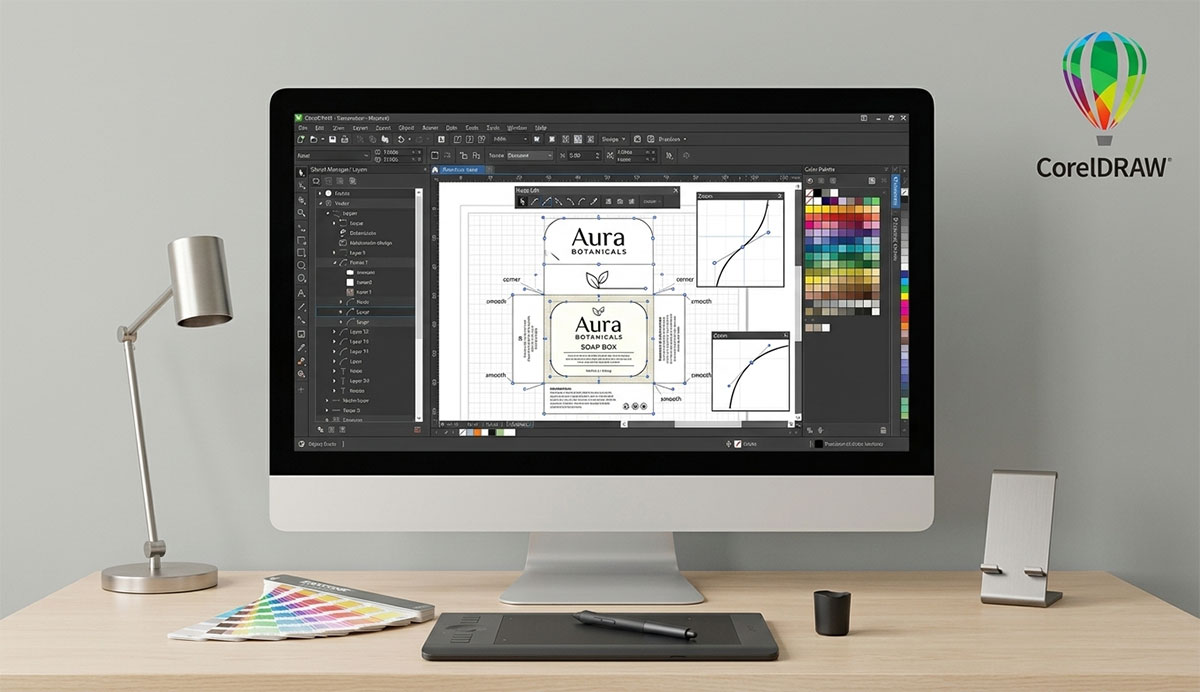
5. CorelDRAW — Best Adobe Illustrator Alternative
For designers who demand professional capability without perpetual subscription dependency, CorelDRAW has long represented a compelling alternative to the Adobe model.
This powerful vector graphics editor has served as a credible counterpart to Illustrator for decades, and with good reason. Its vector illustration toolkit is comprehensive, its typography tools are genuinely strong, and its file format compatibility is broad enough to integrate smoothly with most professional print production workflows. But perhaps its most distinctive advantage in today’s best packaging design software landscape is the option it still offers that Adobe abandoned long ago: the ability to purchase outright.
In an era of unavoidable monthly subscription costs, the CorelDRAW perpetual licence is not merely a pricing preference. For independent designers and small studios managing tight budgets, it is a meaningful financial statement.
Key Features
Full vector illustration toolkit with advanced node editing and precision shape tools
Strong typography, text layout, and infographic design capabilities
Broad file format support including DXF, PDF, AI, SVG, CDR, and EPS
One-time perpetual purchase option available alongside annual subscription
Built-in font manager and professional colour management tools
Fully compatible with both macOS and Windows operating systems
CorelDRAW Pricing
Annual subscription: approximately $549 per year
One-time perpetual licence for CorelDRAW Graphics Suite: approximately $699
CorelDRAW Pros & Cons
CorelDRAW has earned its place in the professional toolkit through decades of consistent development. The honest assessment below reflects where it delivers genuine value and where it concedes ground to its competitors.
CorelDRAW Pros
✓ One-time purchase option is rare and genuinely valuable in today’s subscription-dominated market ✓ Excellent value when compared to the long-term cost of Adobe’s subscription model ✓ Strong, established professional community with a long history of industry use ✓ Well-suited for label design, dieline creation, and professional vector artwork
CorelDRAW Cons
✕ Less dominant in agency and commercial print production environments than Illustrator ✕ No native 3D packaging visualisation capability ✕ Smaller plugin ecosystem compared to the breadth of the Adobe marketplace ✕ Occasional file compatibility friction when exchanging artwork with Illustrator-based collaborators
Ideal User: Independent designers, small studios, and businesses seeking a professional vector design tool with flexible pricing, strong label and packaging capabilities, and no ongoing subscription obligation.
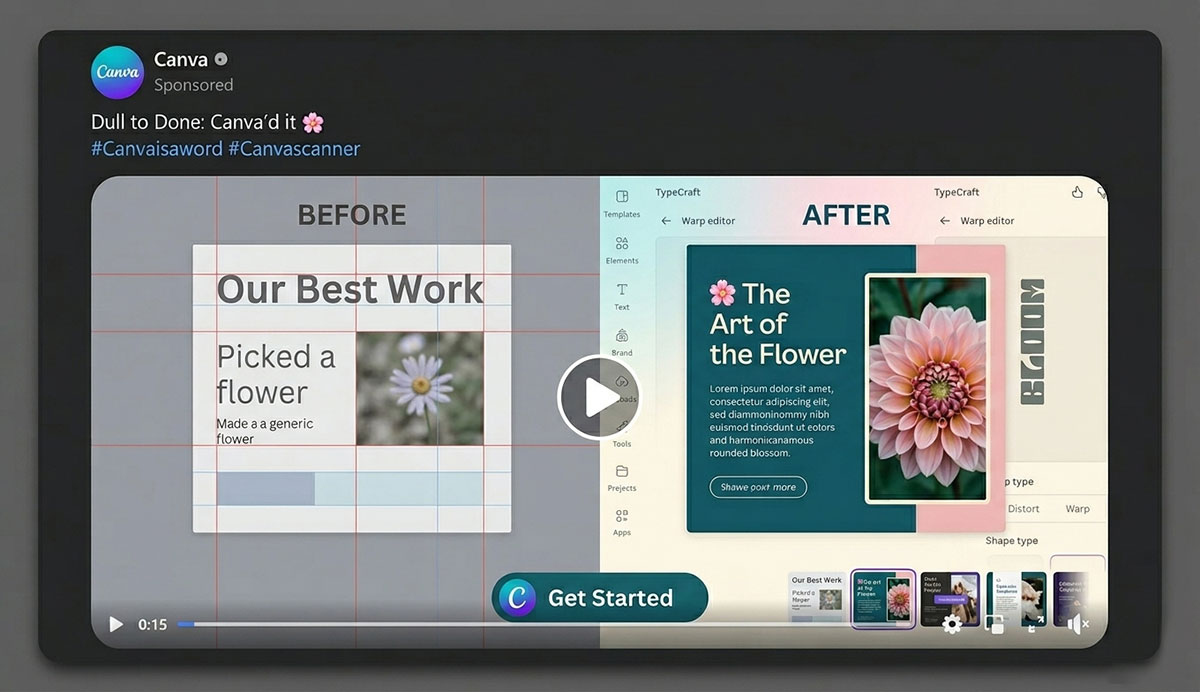
6. Canva — Best for Beginners and Small Businesses
There is a moment every first time business owner knows well. The product is ready. The launch date is approaching. And the packaging still needs a design, with no designer in the budget and no design experience to draw upon.
Canva was built for precisely that moment.
As the world’s most widely used design platform for non designers, Canva has democratised visual creation at an extraordinary scale. Its drag and drop editor requires zero technical training, its template library is enormous, and its free tier is genuinely functional rather than merely a preview of paid features. For small business owners creating product labels and packaging, hang tags, or simple branded materials, Canva makes professional-looking results achievable in minutes rather than hours.
Key Features
Thousands of pre-built label, hang tag, and packaging insert templates
Drag-and-drop editor requiring no design experience or technical knowledge
Brand Kit for storing and applying logos, brand fonts, and colour palettes consistently
Background Remover and Magic Resize tools available on the Pro plan
Direct print ordering through Canva Print for seamless design-to-delivery workflow
Real-time team collaboration with simultaneous multi-user editing
Canva Pricing
Free tier available with no time limit
Canva Pro at approximately $15 per month per user
Canva Teams from approximately $10 per user per month with a minimum of two users
Canva Pros & Cons
Canva’s accessibility is its greatest strength and, in some respects, its most significant limitation. The following breakdown is designed to help you set realistic expectations before you commit your brand’s packaging to the platform.
Canva Pros
✓ The free tier is genuinely sufficient for labels, packaging inserts, and basic branded materials ✓ Virtually zero learning curve- most users are productive within minutes of their first session ✓ Canva Print integration creates a seamless path from design to physical delivery ✓ Excellent for social media assets and broader packaging-adjacent marketing materials
Canva Cons
✕ Not suitable for complex structural packaging or precision dieline creation ✕ Limited print production preflight capabilities; bleed and crop marks are restricted ✕ Less precise control over typography, kerning, and spacing than professional vector tools ✕ Templates can appear generic without substantial customisation effort
Ideal User: Solo entrepreneurs, small business owners, and non designer team members who need to create product labels, packaging inserts, and basic packaging visuals quickly, affordably, and without a design background.
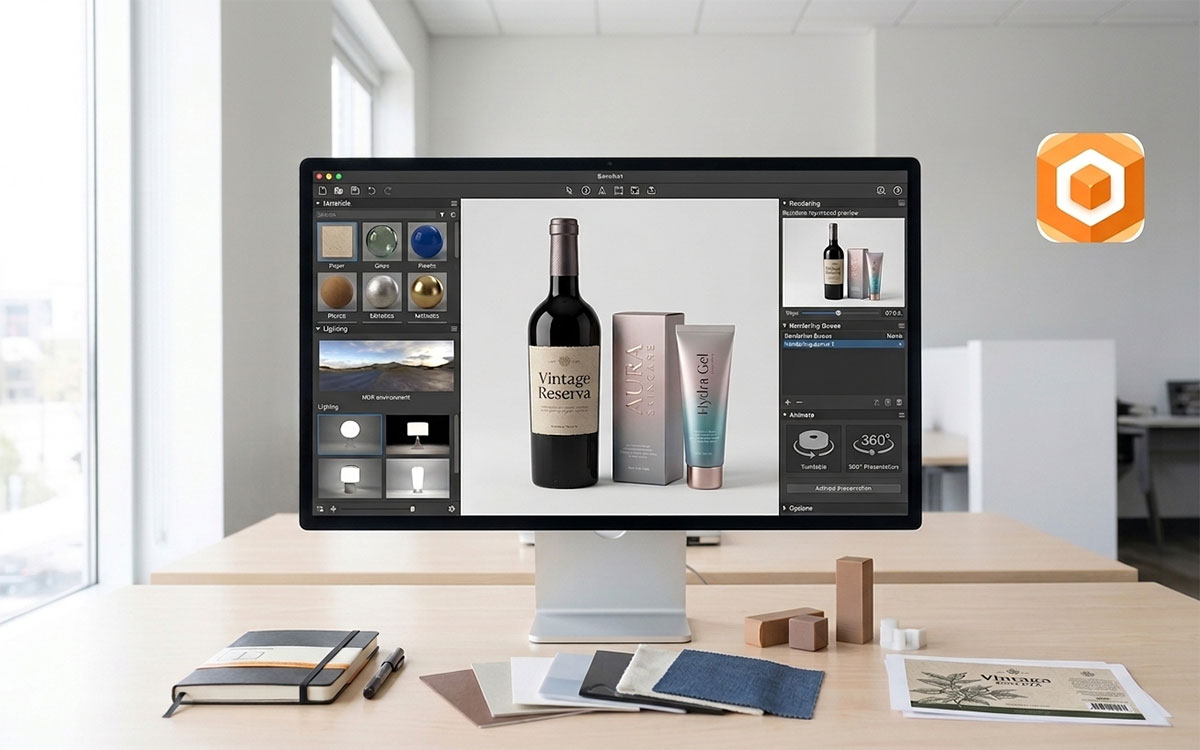
7. Boxshot — Best for 3D Product Visualisation
Sometimes, the most powerful thing you can show a client or a customer is not a flat file. It is the product, rendered in three dimensions, resting on a surface, catching the light exactly as it would in the real world.
Boxshot was built to create that moment of recognition, and it does so with a speed and affordability that few tools in this space can match.
Purpose built for 3D product mockup and packaging visualisation, Boxshot strikes a balance between creative power and operational simplicity that makes it a firm favourite among freelance designers and e-commerce brands. Unlike generalist 3D applications that require months of learning investment, Boxshot is designed specifically for packaging contexts. Import your finished artwork from Illustrator or Photoshop, select from over 300 packaging shapes, and produce a photorealistic render that communicates your design’s full shelf presence, all without requiring a background in 3D modelling.
Key Features
Over 300 built-in 3D packaging shapes spanning all major packaging categories
High-quality ray-traced rendering engine for photorealistic visualisation output
Scene builder with full control over lighting, backgrounds, and shadow rendering
Accepts artwork imports directly from Adobe Illustrator and Photoshop
Animated packaging rotation export for use in video content and web presentations
One-time purchase model with a perpetual licence
Boxshot Pricing
Boxshot Ultimate: approximately $99 as a one-time purchase
Boxshot Lite: available for free with a reduced feature set
Boxshot Pros & Cons
Boxshot is a purpose built tool with a clearly defined role. The analysis below reflects that focus, acknowledging both the remarkable efficiency it brings to 3D visualisation and the boundaries it does not attempt to cross.
Boxshot Pros
✓ Exceptional value — a one-time purchase with lifetime updates is rare in this market ✓ Purpose-built for packaging renders, making the workflow significantly faster than generic 3D tools ✓ No 3D modelling experience required; the learning curve is genuinely accessible ✓ Outstanding for client presentations and high-quality e-commerce product page imagery
Boxshot Cons
✕ Not a design tool in its own right — artwork must be created in a separate application first ✕ Ray-trace rendering can be slow on older hardware without a capable GPU ✕ Less deeply integrated with the Adobe ecosystem compared to Substance 3D ✕ Animation capabilities are limited when compared to full professional 3D software suites
Ideal User: Freelance designers, packaging agencies, and e-commerce brands that need fast, high quality 3D product renders without the time investment of learning a full 3D application.
8. Esko Studio — Best for Print Professionals
There is a difference between seeing what a design looks like and knowing what it will look like when it is printed, varnished, embossed, and foil-stamped on a real substrate.
Esko Studio closes that gap.
Operating as a plugin directly within Adobe Illustrator, Esko Studio gives print production designers the ability to visualise their packaging artwork in fully rendered 3D, inside the same application they are already working in. No context switching. No file exports. No guesswork about how a spot colour or a special finish will behave on press.
This combination of precision and integration makes Esko Studio one of the best packaging design software options for professionals who demand flawless results.
For folding carton designers, flexible packaging specialists, and label professionals working in commercial print environments, Esko Studio is not a convenience. It is a precision tool that reduces errors, improves client approvals, and accelerates production timelines.
Key Features
Real-time 3D visualisation inside Adobe Illustrator via a seamlessly integrated plugin
Preview of spot colours and special print finishes including foil, emboss, and varnish effects
Print-accurate colour simulation including substrate and ink interaction rendering
Full integration with ArtiosCAD structural shapes for end-to-end structural and graphic workflows
Animation export capability for marketing shelf simulations and sales presentations
Esko Studio Pricing
Enterprise pricing on a quote basis, typically bundled within Esko’s Automation Engine or ArtiosCAD licensing
Esko Studio Pros & Cons
Esko Studio occupies a specialised and highly respected position within the professional print industry. The following assessment is intended for designers and production teams considering a serious investment in print accurate visualisation.
Esko Studio Pros
✓ Operates directly inside Illustrator, eliminating context switching and preserving workflow continuity ✓ Best-in-class simulation of print finishes including metallic inks, foil stamping, and embossing ✓ Trusted and widely adopted across global print production and prepress environments ✓ Seamless structural interoperability with ArtiosCAD for complete packaging design integration
Esko Studio Cons
✕ High cost places it well out of reach for independent designers and smaller studios ✕ Requires existing Adobe Illustrator proficiency as a prerequisite ✕ Plugin architecture and configuration can be technically complex to establish ✕ Unnecessary for brands that do not require print finish visualisation at a professional level
Ideal User: Print production designers, prepress operators, and packaging agencies working in professional commercial print environments who need real time, print accurate 3D visualisation directly within their Illustrator workflow.
9. Packify AI — Best AI-Powered Design Platform
The history of packaging design has always been the history of human creativity translating brand intent into physical form. That process has never changed, until now.
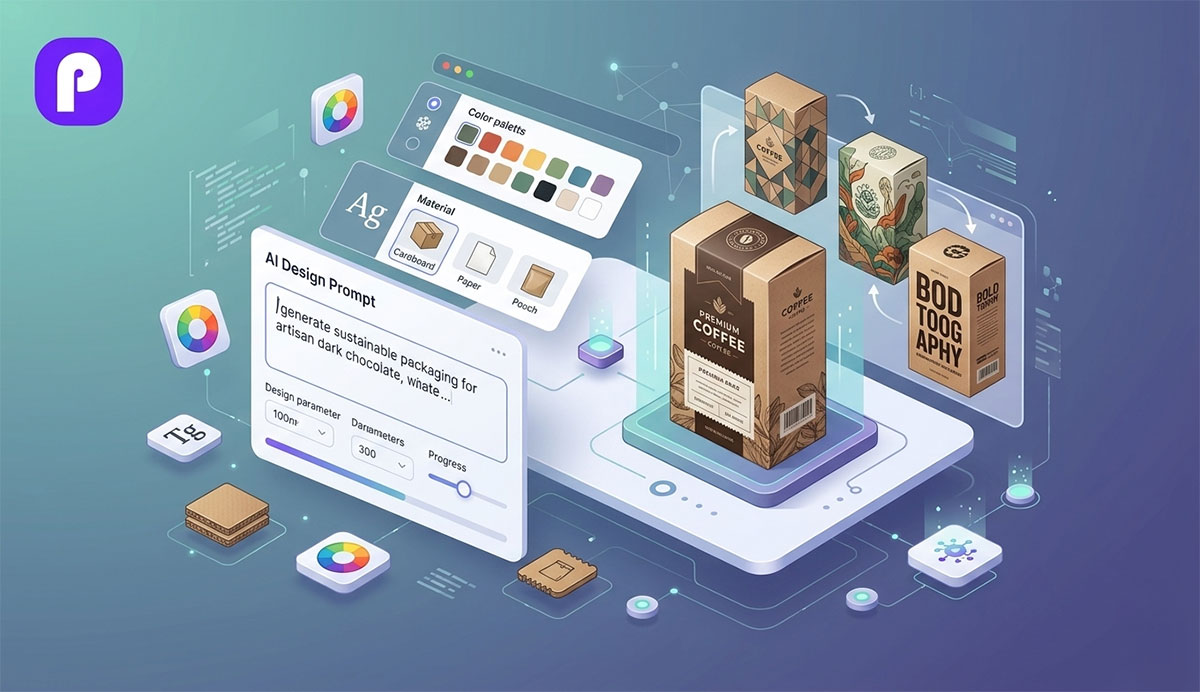
Packify AI, one of the best AI tools for packaging design, represents a genuinely new category of design tool: one that leverages artificial intelligence to compress the ideation phase from days to seconds. Input your brand parameters, your product details, and your creative direction, and receive AI-generated packaging concepts ready for review and refinement in moments.
For teams under pressure to explore multiple creative directions simultaneously, or for founders who need to visualise packaging options before committing to production artwork, Packify AI removes a barrier that has long made early-stage packaging design expensive and slow.
This is not a replacement for the precision of professional production tools. It is, however, a powerful and accessible starting point that changes what is possible for brands at every stage of growth.
Key Features
AI-powered packaging concept generation from text prompts and structured brand inputs
3D visualisation of AI-generated design concepts applied directly to packaging templates
Brand style guide input for consistent, on-brand output across all generated concepts
Exportable design files formatted for handoff to production designers
Team workspace for collaborative concept review, annotation, and feedback
Free tier available for a limited number of monthly concept generations
Packify AI Pricing
Free tier with a limited number of monthly generations
Pro plan from approximately $29 per month
Packify AI Pros & Cons
As an emerging AI powered platform, Packify AI brings a genuinely new dimension to the packaging design process. The assessment below balances the excitement of what it enables with an honest account of where the technology still matures.
Packify AI Pros
✓ Dramatically accelerates the concept and ideation phase of the packaging design process ✓ Enables non-designers to independently explore and evaluate packaging directions ✓ Highly effective for rapid A/B visual testing before committing to production artwork costs ✓ Free tier allows meaningful evaluation of the platform before any financial commitment
Packify AI Cons
✕ AI-generated outputs require professional refinement before they are ready for commercial print production ✕ Not yet a substitute for Illustrator in precision prepress and production workflows ✕ Output quality is variable and dependent on the quality of prompt engineering provided ✕ Relatively young platform with a feature set that continues to evolve
Ideal User: Brand teams, marketers, and entrepreneurs who need rapid packaging concept generation, AI-assisted creative ideation, or quick visual explorations before investing in professional production artwork.
10. LibreCAD — Best Free Open-Source Option
Professional structural packaging design should not require an enterprise budget. LibreCAD is proof that it does not.
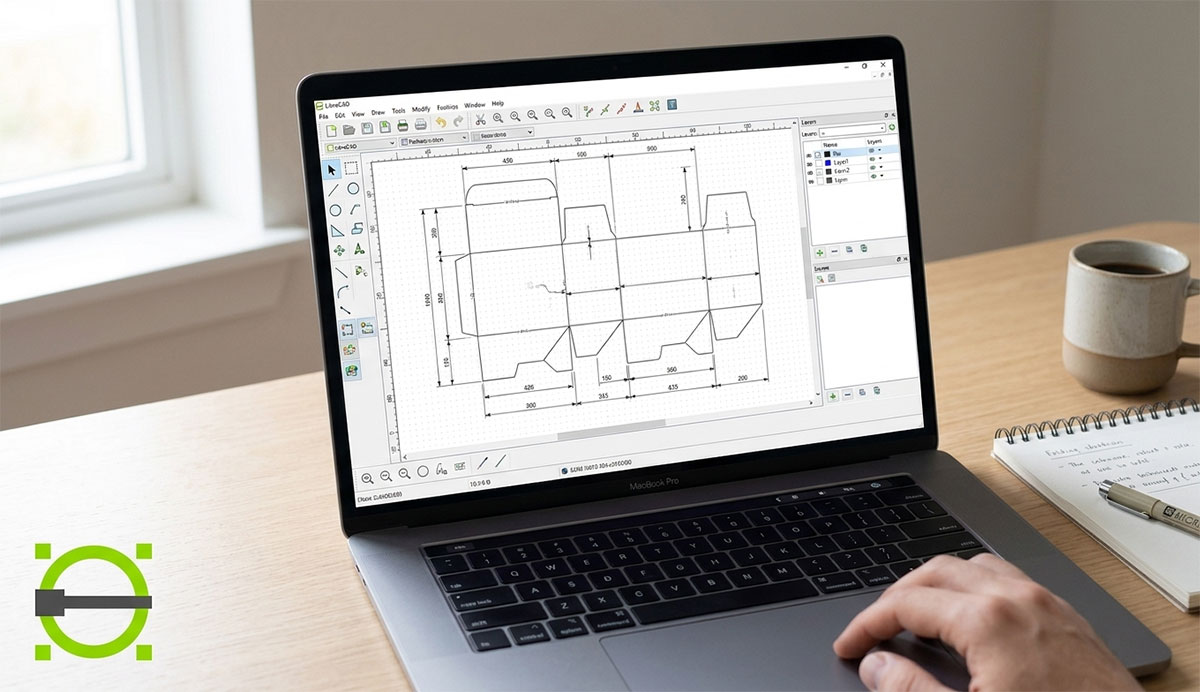
This free and open source 2D CAD application delivers genuine technical capability: precise geometry, full dimensioning tools, DXF file export, without a single dollar of licensing cost. For independent designers, students, small batch manufacturers, and makers who need to create accurate structural dielines on a restricted budget, LibreCAD provides a credible, functional, and professionally respected foundation.
It is not the most polished tool in this guide. It does not offer packaging specific templates, 3D visualisation, or the commercial print workflows of its paid counterparts. But for those who need reliable 2D CAD dieline creation without financial compromise, LibreCAD delivers something that many paid tools cannot: complete freedom.
Key Features
Full 2D CAD toolkit including lines, arcs, polylines, and professional dimensioning tools
DXF and DWG file format import and export for broad compatibility with cutting machines and CNC equipment
Layer management system for organising cut, fold, and score lines clearly
Script automation support for repeated structural pattern generation
Active open-source development community with a growing plugin library
Available on Windows, macOS, and Linux operating systems
LibreCAD Pricing
Completely free, open-source under the GPLv2 licence with no usage restrictions
LibreCAD Pros & Cons
LibreCAD asks nothing of you financially, and delivers more than many expect in return. The following breakdown examines what that freedom actually looks like in practice, and where the boundaries of an open source CAD tool become apparent.
LibreCAD Pros
✓ Entirely free with no trial limitations, usage caps, or hidden subscription tiers ✓ Genuinely cross-platform, running natively on Windows, macOS, and Linux ✓ DXF export is compatible with the majority of cutting plotters and CNC machines ✓ Fully functional for straightforward structural dieline work without compromise
LibreCAD Cons
✕ No packaging specific templates or industry shape libraries such as FEFCO standards ✕ Steeper learning curve than accessible browser based tools like Pacdora or Canva ✕ No 3D visualisation capability of any kind ✕ Community support only — no enterprise-grade training, SLA, or dedicated customer service
Ideal User: Students, independent makers, small batch manufacturers, and budget conscious designers who require reliable 2D CAD dieline creation with zero licensing cost and no commercial restrictions.
How to Choose the Right Packaging Design Software
With ten strong options reviewed, the real question is not which tool is best. It is which tool is best for you.
The answer depends on three interconnected variables: what you need to create, how experienced you are as a designer, and how much you can realistically invest. Getting this decision right saves you time, money, and the frustration of learning a tool that was never truly suited to your workflow in the first place.
1) Define Your Use Case First
Packaging design tools fall into three broad functional categories, and most professional workflows draw from more than one. The best packaging design software you choose also shapes how you approach everything that surrounds the design itself, including the product description copy that appears on the label and the imagery that represents it online:
Graphic and Artwork Design: Creating the visual surface, the typography, imagery, and brand identity that appears on the package. Best tools: Adobe Illustrator, CorelDRAW, Canva.
3D Visualisation and Mockup: Rendering the finished design on a realistic three-dimensional packaging model. Best tools: Pacdora, Boxshot, Adobe Substance 3D, Esko Studio.
Structural and Dieline Engineering: Creating the technical flat template that defines how packaging is cut, scored, and folded. Best tools: ArtiosCAD, LibreCAD, Pacdora.
2) Match the Tool to Your Skill Level
Choosing a tool beyond your current skill level is not ambition, it is an obstacle. Be honest with where you are today:
No design experience: Begin with Canva or Pacdora. Both are designed for non technical users and provide sufficient capability for most basic packaging requirements.
Intermediate designers: CorelDRAW, Boxshot, and Packify AI offer professional results with manageable learning curves.
Professional designers and engineers: Adobe Illustrator, ArtiosCAD, and Esko Studio represent the industry gold standard.
3) Consider Your Budget Realistically
Budget constraints are real, and the right tool is one that fits your financial reality without compromise to your output quality. Here is a clear framework:
Enterprise: ArtiosCAD and Esko Studio (quote-based pricing)
Pro Tip: Many professional packaging teams operate two tools in tandem, Adobe Illustrator for precision artwork creation, and a dedicated 3D visualisation tool such as Boxshot, Pacdora, or Esko Studio for client presentations and marketing assets. Starting with Illustrator and adding a 3D visualisation tool when budget allows is the most scalable and professionally respected approach available.
Packaging Design Software FAQs
The following questions represent the most commonly searched enquiries from packaging designers, brand managers, product developers, and entrepreneurs evaluating their best packaging design software options. We have answered each one with the clarity and depth the topic deserves.
Packaging designers mainly use Adobe Illustrator, CorelDRAW, and ArtiosCAD for design and structure. For 3D visuals, they use Esko Studio, Boxshot, Pacdora, or Adobe Substance 3D.
Canva and Pacdora are the best free options for packaging design with usable free tiers. LibreCAD is also used for free structural dieline work, and Packify AI offers limited free AI packaging concepts.
Yes, you can design packaging using tools like Canva, Pacdora, and Packify AI without a designer. For complex structural or print-ready work, Adobe Illustrator or a professional designer is still needed.
A dieline is a flat technical template that shows where a package is cut, folded, and scored. It is usually created in Adobe Illustrator, ArtiosCAD, Pacdora, or LibreCAD for production use.
Absolutely. Adobe Illustrator is the industry standard for packaging artwork and dieline design. Its limitation is that it does not natively support 3D visualization, so tools like Adobe Substance 3D or Esko Studio are needed.
Best packaging design software (Adobe Illustrator, CorelDRAW, ArtiosCAD) creates print-ready artwork and structural files for production. Mockup software (Boxshot, Pacdora, Esko Studio, Adobe Substance 3D) is used to visualize the design in 3D before manufacturing.
Pacdora is the best packaging design software for e-commerce brands. Canva works well for simple labels, while Adobe Illustrator is better for scaling and full production control.
Yes. Adobe Illustrator, Canva, Pacdora (browser based), CorelDRAW, Boxshot, Adobe Substance 3D, and LibreCAD all run natively on macOS. The notable exception is ArtiosCAD, which remains a Windows only application.
Endnote
Packaging design has never mattered more than it does today.
In a market full of endless choices, your product is judged in seconds. Not open, not tested, just seen. And in that moment, your packaging answers a quiet question: Is this worth my attention?
And the ten software reviewed in this guide represent the full spectrum of what is available to designers, engineers, entrepreneurs, and brand teams today. Each one serves a distinct purpose, workflow, and level of user. There isn’t one perfect choice, only the one that matches your needs, your work, and your goals.
If you are just beginning, tools like Canva or Pacdora help you get visible quickly. If you are building a professional practice, Adobe Illustrator gives you the control the industry relies on. If you need to visualize before production, Boxshot or Pacdora brings your ideas into 3D. And if precision at scale is non-negotiable, ArtiosCAD stands as the industry standard.
The right packaging design software does not just make your work easier. It makes your brand more credible, your products more compelling, and your design decisions more confident. For those also weighing print-on-demand versus traditional production, the best packaging design software choice and the manufacturing model ultimately need to work in alignment.
But here is where things shift.
Choosing the right tool is only the beginning. Because many brands still find themselves stuck right after that step. That is exactly where many brands get stuck. They have the right tools. They have the ideas. But the final result still does not feel right, on screen or in hand.
We do not just design packaging that looks good inside software. We make sure it works outside of it. From accurate dielines and print-ready files to realistic mockups and brand-consistent packaging systems, every detail is built to perform in the real world.
Because somewhere out there, a customer will see your product for the very first time… Make sure your packaging is the reason they pick it up.
Graphic Design Eye LLC is a full-service creative agency built for brands that demand more than design — they demand vision. From strategic branding to complete visual identity, we partner with startups, agencies, and growing businesses as a dedicated creative force. With flexible subscription and project-based models. Let's start with us today!