TL;DR: T-shirt printing machines have completely changed the game for beginners looking to break into the custom apparel business. With so many options flooding the market in 2026, choosing the right one can feel overwhelming.
 Business
 Mar 22,2026
 26 minutes


Every year, thousands of beginners in the US start a t-shirt business without a clear plan. They end up wasting money on the wrong equipment. That's a painful mistake.
The right machine does more than just print. It shapes your product quality, your speed, your profits, and how big you can grow. But knowing their names isn't enough.
This article will explain what each machine does, how much it costs, and which fabrics and designs each one works best with. And most importantly, you'll figure out which machine fits your specific printing needs.
So, let's dive in!
Still not sure which machine to pick?
Screen printing is great for large orders because each shirt ends up costing less. DTG is your go-to for detailed, custom designs.
Heat presses work with lots of different transfer types, making them super flexible. Sublimation gives you bright, bold prints, but only on polyester. DTF works on pretty much any fabric, making it a solid choice if you're trying to grow a business without blowing your budget.
When it comes to the total cost of ownership, no single machine wins across the board. The real question is where your money goes and what you get in return. A heat press requires the smallest upfront commitment by far, but your ongoing costs are tied to buying pre-made transfers or vinyl.
Screen printing has a moderate startup cost, yet once your screens are made, the per-shirt cost collapses at volume. DTG sits at the opposite end: high upfront, higher per-shirt cost, but zero setup fee per new design.
DTF and sublimation occupy an important middle ground that is worth understanding side by side. Both carry similar per-print costs of $1 to $3, but their cost profiles diverge quickly depending on fabric and garment color.
Sublimation’s cost advantage only appears when you are printing polyester blanks in volume. DTF, by contrast, maintains consistent cost across almost any fabric or garment color, making it a more predictable investment for a beginner whose product line is still evolving.
So, the most important cost comparison is not between startup prices. It’s startup price versus break-even speed. A screen printing press costs more to set up than a heat press. But if you print in large quantities, it pays for itself faster than a DTG machine used for small orders.
Screen printing lasts over 100 washes, and the colors pop beautifully on cotton. The ink sits on top of the fabric, so you can feel a slight raised texture. It's a go-to choice for US team uniforms.
DTG printing holds up for around 30 to 50 washes. It can produce detailed, photo-like images and feels smooth because the ink soaks right into the fabric.
Heat-press methods depend on the technique you use. HTV is reasonably durable and colorful. But it can feel a bit plastic-like on your skin.
Sublimation lasts 50+ washes and leaves zero texture. The design basically becomes part of the fabric. It works best on polyester.
DTF is just as long-lasting and gives you rich, vibrant colors with barely any texture at all. It also works well on almost any type of fabric.
Screen printing needs vector files to separate colors and make film positives. The process includes coating screens with emulsion, burning designs onto them, and layering each color perfectly on top of the last. It takes time to learn, but once you get the hang of it, you can produce large orders efficiently.
DTG printing is simpler. You just need a clear image file at 300 DPI; a PNG or JPEG works fine. First, treat the fabric with a special spray, then load the shirt into the printer and apply heat to set the ink.
Heat press methods vary. HTV means cutting your design from vinyl, peeling away the extra bits, and pressing what's left onto the fabric. DTF transfers are even easier; you just need to line up the design and press it down.
Sublimation is a bit different. You flip your design so it mirrors itself, print it onto special transfer paper using RGB colors, then press it onto the fabric with heat. It works best on polyester.
DTF printing is the most flexible of the bunch. It works with most high-quality image files and follows a straightforward path. Print onto film, coat with powder, cure it with heat, then press it onto your garment. It's beginner-friendly and adapts easily to different fabrics and order sizes.
For everyday merch, DTF works best because it prints on almost any fabric. If you're doing a one-of-a-kind custom piece, DTG gives you sharper detail.
If you need to print hundreds of the same design, screen printing saves you the most money. And if you don't want to deal with storing stock, print-on-demand using DTG or DTF is the way to go.
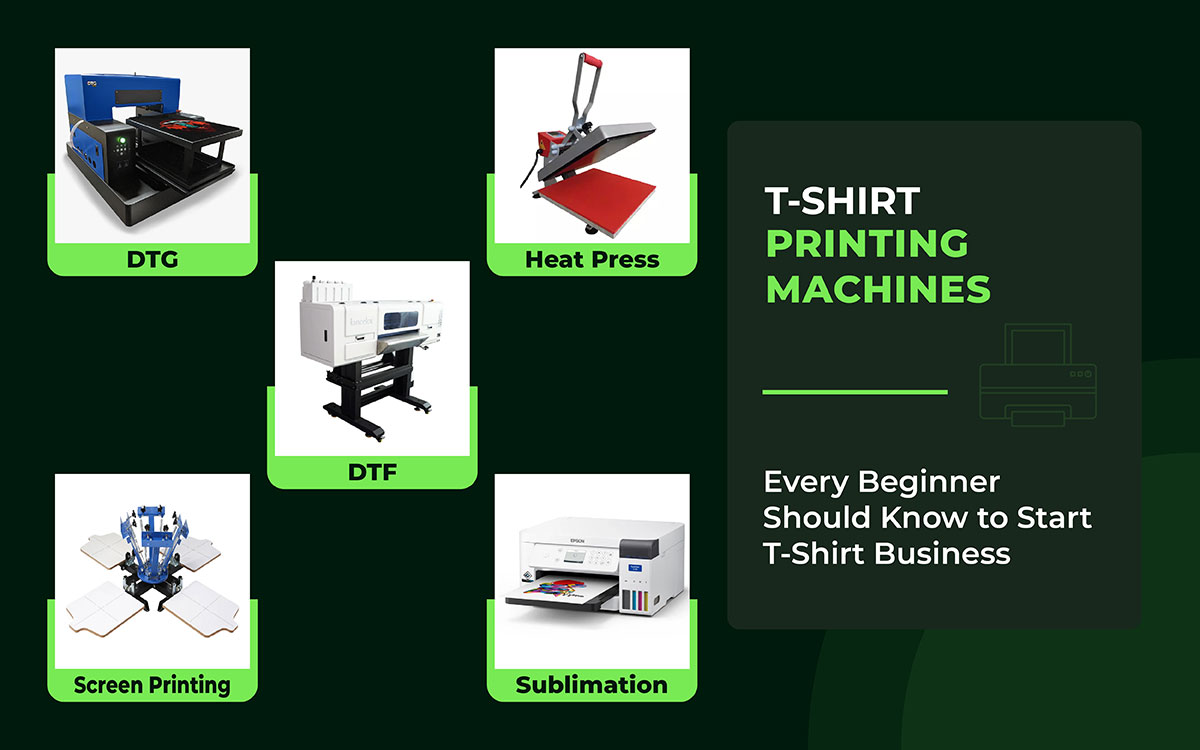
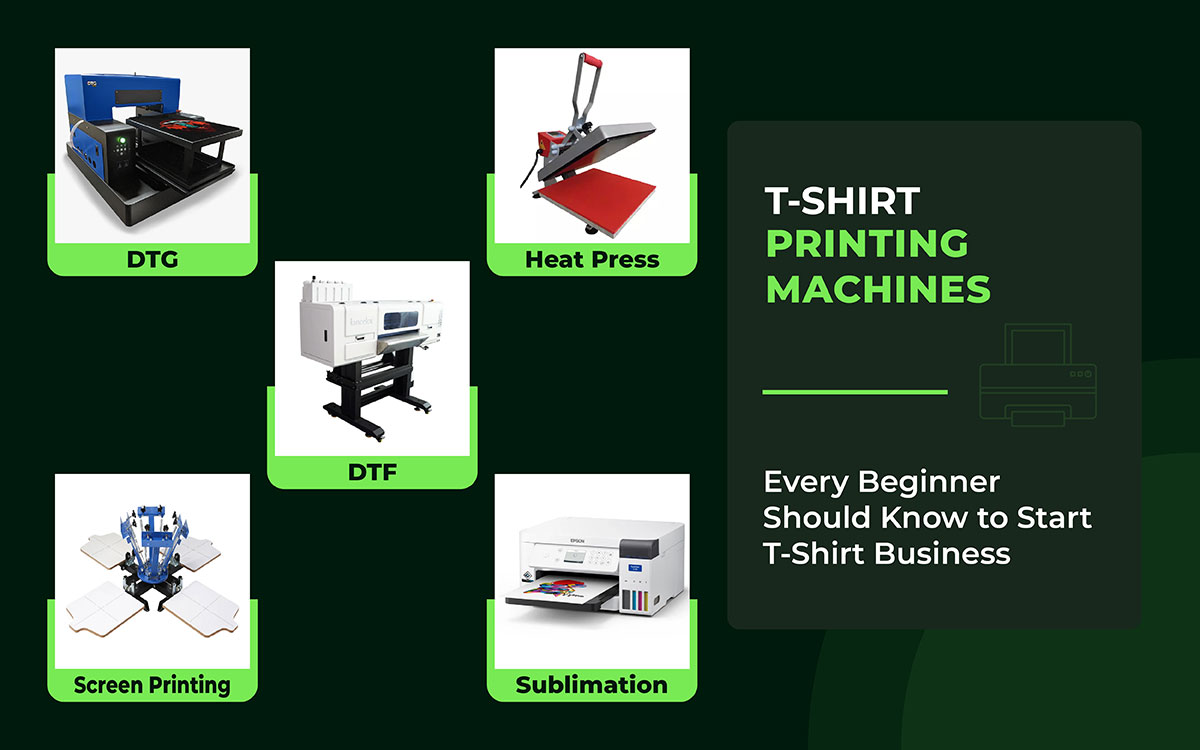
Screen printing presses handle tough bulk orders really well. DTG printers are great for designs with lots of detail. Heat presses make vinyl transfers fast and simple. DTF systems work on almost any type of fabric. And sublimation printers are perfect for full-coverage designs on polyester.
Each one is easy enough to start with and can grow as your business does.
Here, we've rounded up the 5 t-shirt printing machines everyone should know in 2026, breaking down what makes each one different and who it's best for your business.
Let’s keep reading!
| Machine Type | Startup Cost | Speed | Print Quality | Best For |
|---|---|---|---|---|
| DTG (Direct-to-Garment) | $10K–$30K+ | Moderate | ⭐⭐⭐⭐⭐ | Small runs, full-color detail |
| Heat Press | $200–$3K | Fast | ⭐⭐⭐⭐ | Beginners, low volume |
| Screen Printing | $2K–$20K | Very fast at scale | ⭐⭐⭐⭐⭐ | Bulk orders, bold colors |
| Sublimation | $500–$5K | Fast | ⭐⭐⭐⭐ | Polyester, all-over prints |
| DTF (Direct-to-Film) | $3K–$15K | Fast | ⭐⭐⭐⭐⭐ | Dark fabrics, versatility |
Screen printing machines are the go-to tools for anyone starting out in the t-shirt business. They produce bright, long-lasting prints that are perfect for small American startups. These presses shine when you need to make a lot of shirts at once, and they won't break the bank if your designs are fairly simple.
A screen printing machine pushes ink through a mesh screen onto t-shirts, kind of like a stencil. It's widely used by hobbyists and small businesses across the US. You can get manual or automatic versions, and they let you layer multiple colors with great precision on fabric.
Now, let’s learn about some core components inside the machines and what each part actually does.
Squeegees drag ink across a mesh screen, pushing it deep into the fabric so the color sticks cleanly and sharply. The screen works like a stencil: a special coating blocks out everything except the design, so ink lands only where it should.
T-shirts sit flat on a platen, which holds them perfectly still so nothing smears or shifts. The ink is heat-set after printing, which locks the color into the fabric for good. That means bright prints that last through many washes, making screen printing a reliable choice for creators seeking consistent, high-quality results.
Screen printing machines come in three types: manual, semi-automatic, and automatic. Each one works best for a different level of production.
Manual presses let you do everything by hand. You push the squeegee yourself and print one shirt at a time. A popular example in the US is the Riley Hopkins 150. These machines don't cost much and don't take up much space.
You learn the basics without spending a fortune, and they're perfect for testing a design before going bigger.
Semi-automatic presses do part of the work for you. The machine applies the ink on its own, but you still rotate the shirts by hand. This means you can print way more shirts in less time.
US companies use them when orders start climbing past 50 shirts. You get faster output and consistent quality without paying for a fully automatic setup.
Screen printing machine prices vary widely depending on the level of automation and production capacity. Knowing the cost breakdown upfront can help you choose the right press without overspending.
Screen printing offers some of the best cost efficiency and print durability available, but it is not the right fit for every beginner. Here is an honest breakdown of the advantages and limitations to help you decide whether screen printing aligns with your business goals.
| Pros | Cons |
|---|---|
| ✅ Very low cost per print when producing in bulk | ❌ Each color requires its own screen, making short runs expensive |
| ✅ Produces vibrant, long-lasting colors that remain bright after 100+ washes | ❌ Not cost-effective for complex, multi-color, or photographic designs |
| ✅ Works beautifully on cotton and heavyweight fabrics | ❌ Emulsion coating, screen exposure, and registration all take practice |
| ✅ Inks feel bold and slightly raised, giving prints a premium, tactile quality | ❌ Requires a dedicated workspace, a wash-out booth, and proper ventilation for chemicals |
| ✅ Entry-level manual presses can grow into automatic setups over time | ❌ Curved or textured surfaces are difficult to print on |
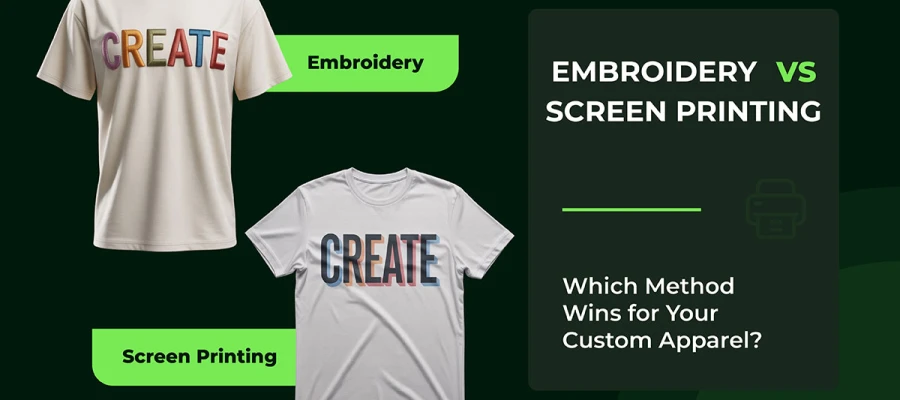
TIP: Screen printing is one of the most popular methods for bulk apparel in the US. If you're also weighing up stitched decoration for your brand, our breakdown of embroidery vs screen printing covers the key differences.
DTG printers are a game-changer for anyone just starting out with t-shirt printing. They spray ink straight onto the fabric, as a regular printer does on paper.
No screens or complicated setups needed. This means you can print super detailed, photo-quality designs with ease. For small custom shops across the US, that's a huge deal.
A DTG printer works like a regular inkjet printer, but for clothes. Instead of paper, it sprays water-based ink directly onto a t-shirt to make detailed designs in seconds.
First, the fabric gets treated with a special liquid that helps the ink soak in properly. Then the shirt is laid flat on a platform called a platen. The printer reads image files and builds the design layer by layer using CMYK colors plus white ink. The ink bonds straight into the fabric fibers.
Once printed, heat is applied to lock everything in place, leaving a soft, breathable finish with no transfers or patches involved.
DTG machines print in great detail, handle white ink well, and adjust settings based on fabric type.
Cotton works best because ink adheres to it naturally. On dark shirts, white ink goes down first as a base layer. Without it, colors look washed out.
Brother GTXpro machine has built-in systems to keep the white ink flowing and clog-free. Before printing, a pretreatment spray is applied to help the ink bond with the fabric. This sharpens the final image and helps it last longer.
DTG printer pricing spans a wide range from affordable entry-level units to industrial-grade production machines. Understanding where each price tier falls helps beginners identify the right investment level for their current order volume and growth plans.
DTG printing delivers exceptional design quality and unmatched flexibility for custom orders. Yet, it comes with real trade-offs in cost and maintenance. Review the key pros and cons below to determine whether a DTG printer is the right t-shirt printing machine for your setup.
| Pros | Cons |
|---|---|
| ✅ Print one shirt at a time without extra cost per color | ❌ High upfront machine cost ($3,500–$50,000) makes it a significant investment for beginners |
| ✅ Photo-quality, full-color designs with smooth gradients and fine detail | ❌ Per-shirt cost ($2–$5) is higher than screen printing for large bulk runs |
| ✅ Simply load your image file and press print. No screens or stencils needed | ❌ Requires fabric pretreatment, especially on dark garments, which adds time and cost |
| ✅ Soft, breathable feel because the ink soaks directly into the fabric fibers | ❌ Works best on 100% cotton; blends and synthetic fabrics produce less vibrant results |
| ✅ Ideal for print-on-demand business models with no need to hold stock | ❌ Regular daily maintenance is essential to prevent printhead clogging, especially for white ink |
Heat press machines are a must-have for anyone starting out in t-shirt printing. They use heat and pressure to stick designs onto fabric cleanly. Tons of people across the US run them right out of their garages to make custom clothes.
A heat press machine uses heat to stick printed designs onto t-shirts, making it a great tool for beginners.
The heat (usually between 350–400°F) melts the glue in the transfer, pushing it deep into the fabric. The right temperature depends on the material. Pressure keeps everything flat and even, stopping air bubbles from forming.
Cricut EasyPress machines have easy-to-turn dials, perfect if you're just starting out. Time matters too. Most transfers need 10 to 60 seconds. Leave it too long, and the shirt burns. Pull it too soon, and the design peels off.
Professional designers set everything up just right so your prints come out clean every time.
Heat presses come in three main styles: clamshell, swing-away, and draw. Each one suits different beginners depending on how they work.
A clamshell press opens like a laptop. It's small and fits easily in an apartment or home office. PowerPress models cost under $200 and don't take up much room. They're quick to set up and great for vinyl transfers.
If you're working alone and just testing t-shirt designs, this is a solid starting point.
A swing-away press moves the top plate to the side instead of lifting straight up. It gives you a clear view as you line up your design, so you make fewer mistakes. It's also safer because the hot plate swings away from you. The pressure it applies is more even, which works better for larger shirts.
Many beginners choose this model when they start turning their hobby into a small business.
Heat press machines are the most budget-friendly entry point into t-shirt printing, with options available at nearly every price point. Here is a clear breakdown of what you can expect to pay for each tier:
A heat press machine is one of the easiest and most affordable ways to start printing custom t-shirts. But it has clear limits as your business scales. Here is a direct comparison of the benefits and drawbacks every beginner should weigh before buying.
| Pros | Cons |
|---|---|
| ✅ The most affordable entry point for t-shirt printing; basic presses start under $200 | ❌ Not suitable for high-volume production; printing one shirt at a time slows output significantly |
| ✅ Digital controls make it easy to set the right temperature, time, and pressure | ❌ Heat transfer vinyl and sublimation prints can feel slightly plastic-like or stiff on some fabrics |
| ✅ Works with HTV, sublimation transfers, DTF transfers, and rhinestones | ❌ Incorrect time, temperature, or pressure ruins results |
| ✅ Clamshell models fit easily in a home office or small studio | ❌ Cannot print complex full-color photographic designs directly; requires a separate cutting machine or transfer |
| ✅ Low per-print cost (under $2 using HTV), making it great for testing small batches | ❌ Cheap entry-level models often produce uneven heat distribution, leading to inconsistent prints |
Sublimation printers produce bright, long-lasting t-shirt designs. They work best on polyester shirts. They're great for beginners living in humid parts of the US.
Sublimation printer costs range from under $350 for beginner-friendly converted inkjet models to over $5,000 for high-volume commercial systems. The right budget depends on your expected order volume, fabric type, and whether you need all-over print capability from day one.
Sublimation printing produces some of the most vivid, permanent designs available, but only under the right condition. Before investing, weigh these key advantages and limitations to confirm that sublimation fits your fabric choices, garment colors, and business model.
| Pros | Cons |
|---|---|
| ✅ Prints are permanently fused with polyester fibers; designs never crack, peel, or fade after 50+ washes | ❌ Only works on light-colored or white garments; dark and black shirts are completely incompatible |
| ✅ Produces full-color, photo-realistic, all-over prints with vivid, gallery-quality results | ❌ Fabric must be at least 65% polyester; natural fabrics like cotton produce faded, washed-out results |
| ✅ Zero texture; the design becomes part of the fabric itself, keeping the shirt feeling completely soft | ❌ Cannot print true white ink; any white elements in your design will simply show the base fabric color |
| ✅ Low per-print cost ($1–$3) after initial setup, making it highly economical for consistent production runs | ❌ Sublimation inks are UV-sensitive and can gradually fade with prolonged exposure to direct sunlight |
| ✅ Ideal for sports jerseys, activewear, and all-over print garments requiring seamless edge-to-edge coverage | ❌ Moderate learning curve: designs must be mirrored before printing, and exact temperature and pressure are critical |
DTF printers are great t-shirt printing machines for beginners. They let you print colorful designs onto almost any type of fabric with ease.
DTF prints onto a special film first. Then it uses a glue-like powder to stick to fabric. This works on almost every material you can think of.
First, you need to print your design onto PET film using colored and white inks. Next, sprinkle hot-melt powder over the wet ink. Then heat it in an oven or shaker at 300°F until the powder melts. Finally, press it onto your shirt with a heat press. The result is stretchy, long-lasting prints on cotton or blended fabrics.
You'll need five main things: a printer, PET film, adhesive powder, a curing unit, and a heat press. Each one plays its own role.
DTF printers handle thick specialty inks well. PET film holds sharp, detailed prints. The powder bonds to the fabric. The curing unit melts everything evenly. And the heat press locks it all in place.
DTF printer pricing covers a broad spectrum, from low-cost converted inkjet setups to purpose-built commercial systems. Understanding the full cost picture is essential before committing to a DTF setup for your t-shirt printing business.
DTF printing has quickly become one of the most versatile t-shirt printing methods available to beginners. Before you invest, here is a clear-eyed look at what DTF does exceptionally well and where it still has room to improve compared to other methods.
| Pros | Cons |
|---|---|
| ✅ Works on virtually any fabric: cotton, polyester, blends, denim, nylon, and even leather or canvas | ❌ Entry-level setup requires multiple components (printer, film, curing unit, heat press), raising the total startup cost |
| ✅ Prints full-color, photo-quality designs with rich detail on both light and dark garments without pretreatment | ❌ White ink systems require regular maintenance and circulation to prevent costly printhead clogs |
| ✅ Includes white ink in every print as a base layer, ensuring vibrant results on dark shirts straight out of the process | ❌ The curing and powder process adds extra steps compared to DTG printing, increasing production time per unit |
| ✅ Transfers are stretchy and durable, lasting 50+ washes without cracking, peeling, or significant fading | ❌ DTF transfers have a slightly more textured, plastic-like feel compared to DTG or sublimation on the right fabric |
| ✅ Highly scalable; you can print transfers in advance and store them, then heat press on demand with no waste | ❌ Consumable costs (ink, film, adhesive powder) add up quickly at scale, reducing margins compared to screen printing for bulk |
Choosing the right t-shirt printing machine comes down to five key factors: your budget, expected order volume, fabric type, design complexity, and business model. Use the decision framework below to match your specific printing goals to the machine that delivers the best return on investment.
Your starting budget is the fastest way to narrow down your options. If you have less than $500 to spend, a heat press machine is the only realistic choice. And it is still a solid one for getting started.
With a budget of $500 to $5,000, you can step up to a sublimation printer or an entry-level DTF system, both of which open the door to more fabric types and higher-quality output. If your budget is $5,000 or more, a DTG printer or a screen printing press is a viable investment, giving you the production capacity to scale a real apparel business in the US.
How many shirts do you plan to print each day? This single question has a huge impact on which machine makes financial sense. If you are printing between 1 and 20 shirts daily.
If your volume climbs to 50 shirts or more per day, screen printing becomes far more cost-effective because the per-print cost drops dramatically at scale. DTF printing sits comfortably in the middle, handling moderate daily volumes efficiently without requiring bulk minimum orders.
Not every printing method works with every material, so the fabric you plan to print on should directly guide your choice of machine. If you are printing primarily on 100% cotton, DTG printing and screen printing are your strongest options, as both bond exceptionally well with natural fibers.
If your products are made from polyester or performance fabric, sublimation printing is the gold standard, fusing dye permanently into the fibers for vibrant, texture-free results. And if you work with a wide range of materials, DTF printing is the most versatile choice, as it adheres reliably to virtually any fabric.
The level of detail in your artwork should directly influence which machine you buy. If your designs include photographic images, smooth color gradients, or fine detail with dozens of shades, DTG or DTF printing is the right fit.
If your designs are bold, graphic, and limited to a small number of solid spot colors, screen printing delivers the most vibrant and durable result at the lowest cost per unit.
Heat presses and sublimation work best for pre-made or ready-to-press designs rather than custom, intricate artwork printed on demand.
The color of your garments is a critical factor that many beginners overlook until it is too late. Sublimation printing only works on light-colored or white polyester.
If dark t-shirts are part of your product line, DTF printing is your best option, as it lays down a white ink base layer that makes colors pop regardless of the garment color.
DTG printing also handles dark garments well, though it requires a pretreatment step to anchor the white base layer. Screen printing works on dark garments but requires special high-opacity inks and additional passes, which adds cost and complexity.
Finally, think about how your business actually operates. If you run a print-on-demand store where every order is unique and you print one at a time, a DTG printer is built for exactly that model. If you fulfil bulk orders for the same design, screen printing offers the lowest per-unit cost and fastest throughput at volume.
If you’re a startup on a budget, a heat press or entry-level DTF system gives you flexible options while you grow.
Here are the most common questions beginners ask about t-shirt printing machines, answered clearly so you can move forward with confidence.
A heat press machine is the ideal starting point. It's affordable ($200–$500) and easy to operate. Pair it with HTV (heat transfer vinyl) designs cut on a machine like a Cricut and you're ready to go.
Heat press machines are the most budget-friendly option, starting around $200. An entry-level sublimation printer setup can also be built for under $500.
Screen printing and sublimation deliver the most durable results. Screen print ink bonds deeply into the fabric fibers. With sublimation, the dye actually fuses into the polyester itself.
No. Sublimation only works on light-colored, ideally white, polyester fabric. For dark garments, DTF or DTG printing are the right methods to use.
DTF has become the go-to choice for small businesses. Startup costs are lower, it works across a wide range of fabrics, and there's no pre-treatment required. DTG does produce slightly sharper print quality on light cotton garments, which is worth considering.
Startup costs depend on the method you choose. A heat press setup runs $500–$2,000. DTF falls between $3,000–$10,000. Commercial DTG requires $10,000–$30,000. A screen printing press sits anywhere from $2,000–$20,000.
Now that you see, choosing the right t-shirt printing machines isn’t as hard as you thought at first. Different printing methods have different strengths.
Screen printing works well when you need to print many shirts. DTG is better for detailed design and bright colors. And DTF, Sublimation, and Heat-press are flexible for all kinds of clothing projects.
The most important thing is finding a machine that fits your goals, the amount you want to produce, and how much you can spend. Once you have the right setup, growing your business becomes much less stressful.
If you’re still confused about which machine to choose, professional guidance can help. In fact, our team at Graphic Design Eye LLC is ready to help you through the process and find what works best for your business.
So, let’s focus on building your brand while we handle the creative side. Until then, happy printing. 👕✨